Importing e-invoices and XRechnung
The guided importer processes UBL Invoice, UBL Credit Note, CII and hybrid PDF with embedded invoice XML. It reads the file safely, validates its structure and runs the bundled KoSIT validator. Nothing is written to the ledger until Create foreign-invoice draft is selected.
Read and validate the file
Open Fleet > Import XRechnung, select an XML or PDF, or drop it onto the foreign-invoice list. Each file enters a queue. Inspect determines syntax, profile, Customization ID, hashes and available components.
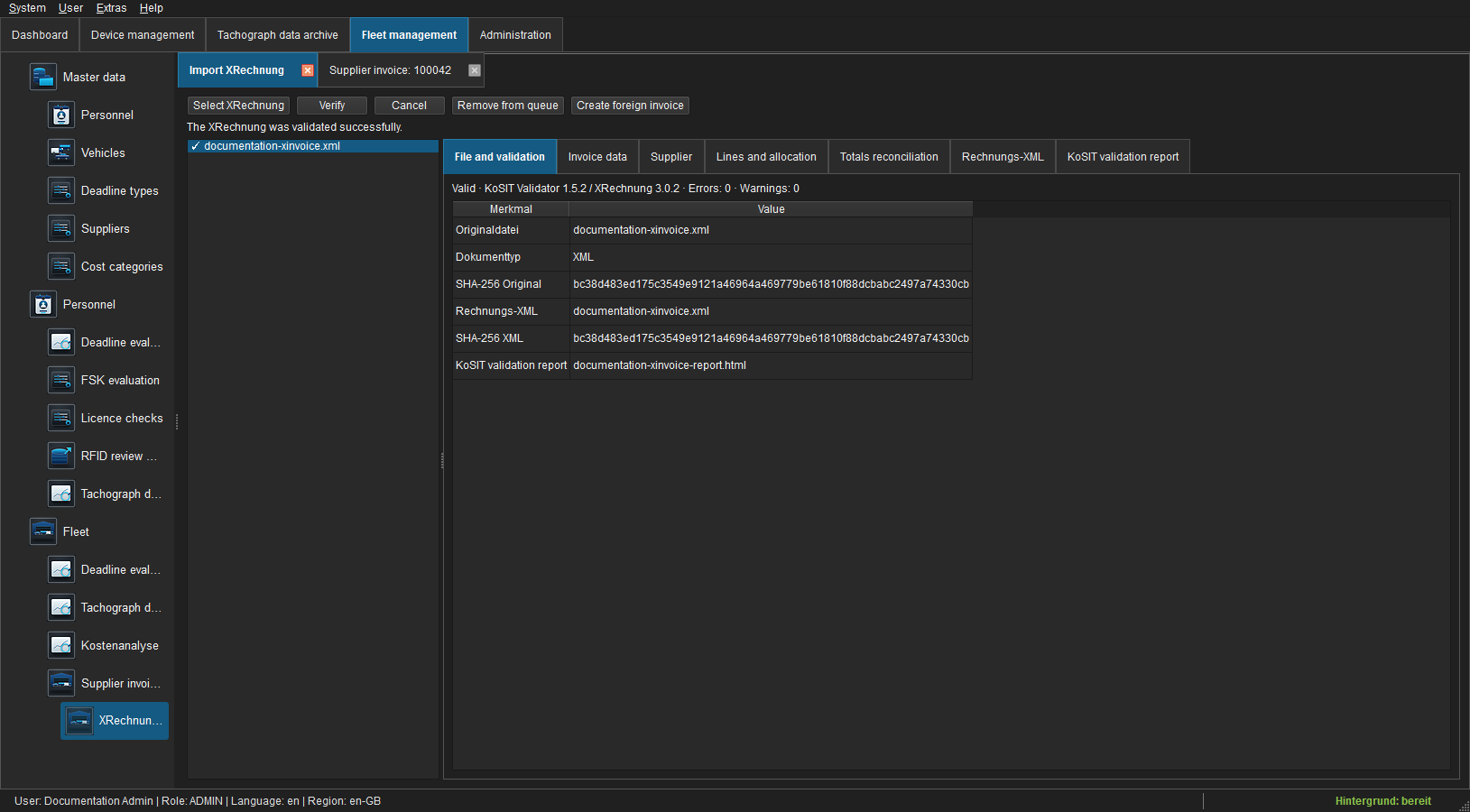
Invalid documents are rejected without creating a draft. The KoSIT report remains available in the session and can be exported. Warnings require a business review; the summary identifies validator version and error/warning counts.
Verify invoice data
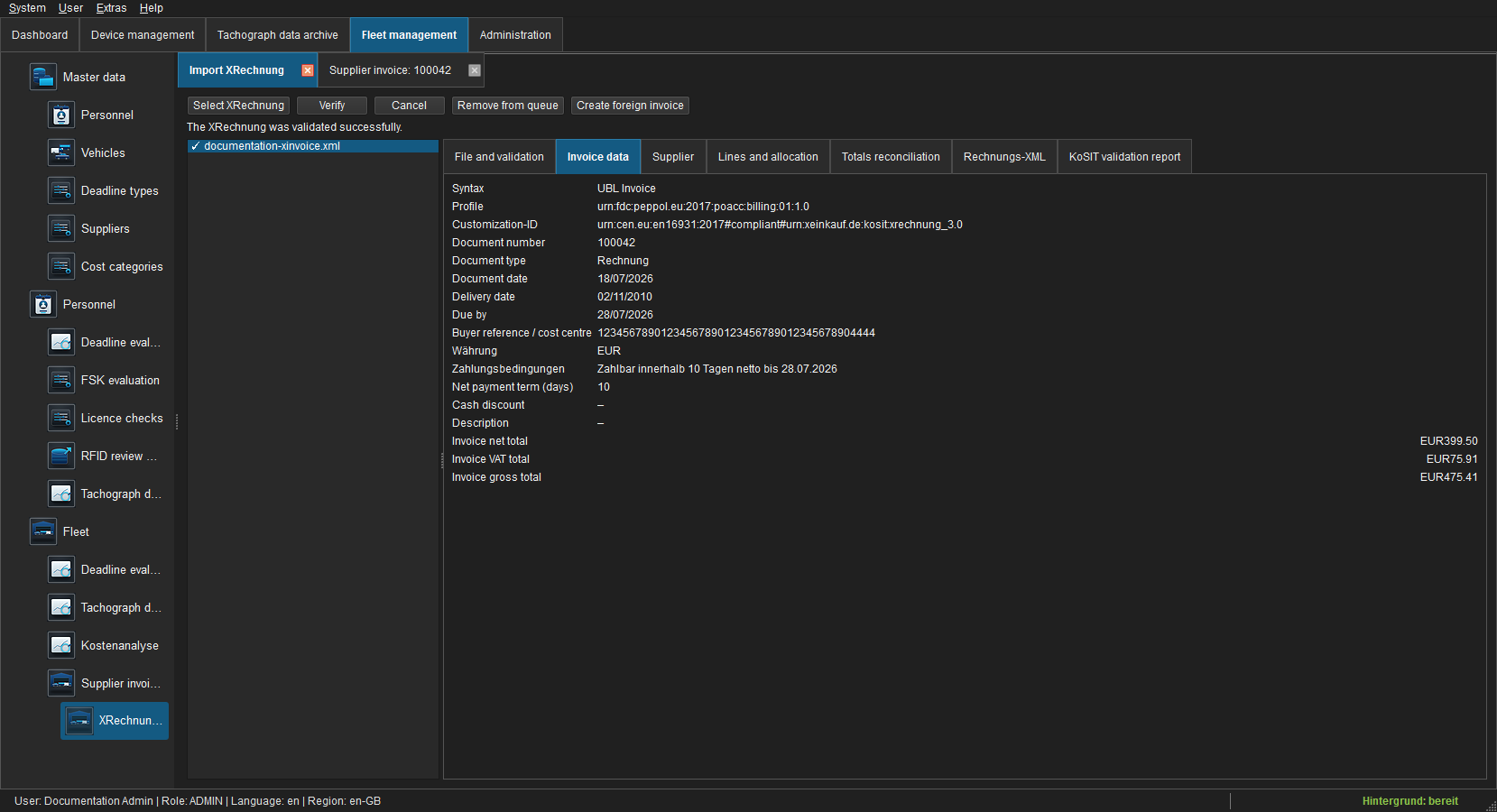
Compare document number and type, document/delivery/due dates, buyer reference or cost centre, currency, payment terms, and net, VAT and gross totals with the original. Credit notes are detected as a separate document type. Unsupported currencies or inconsistent totals are rejected.
Match the supplier
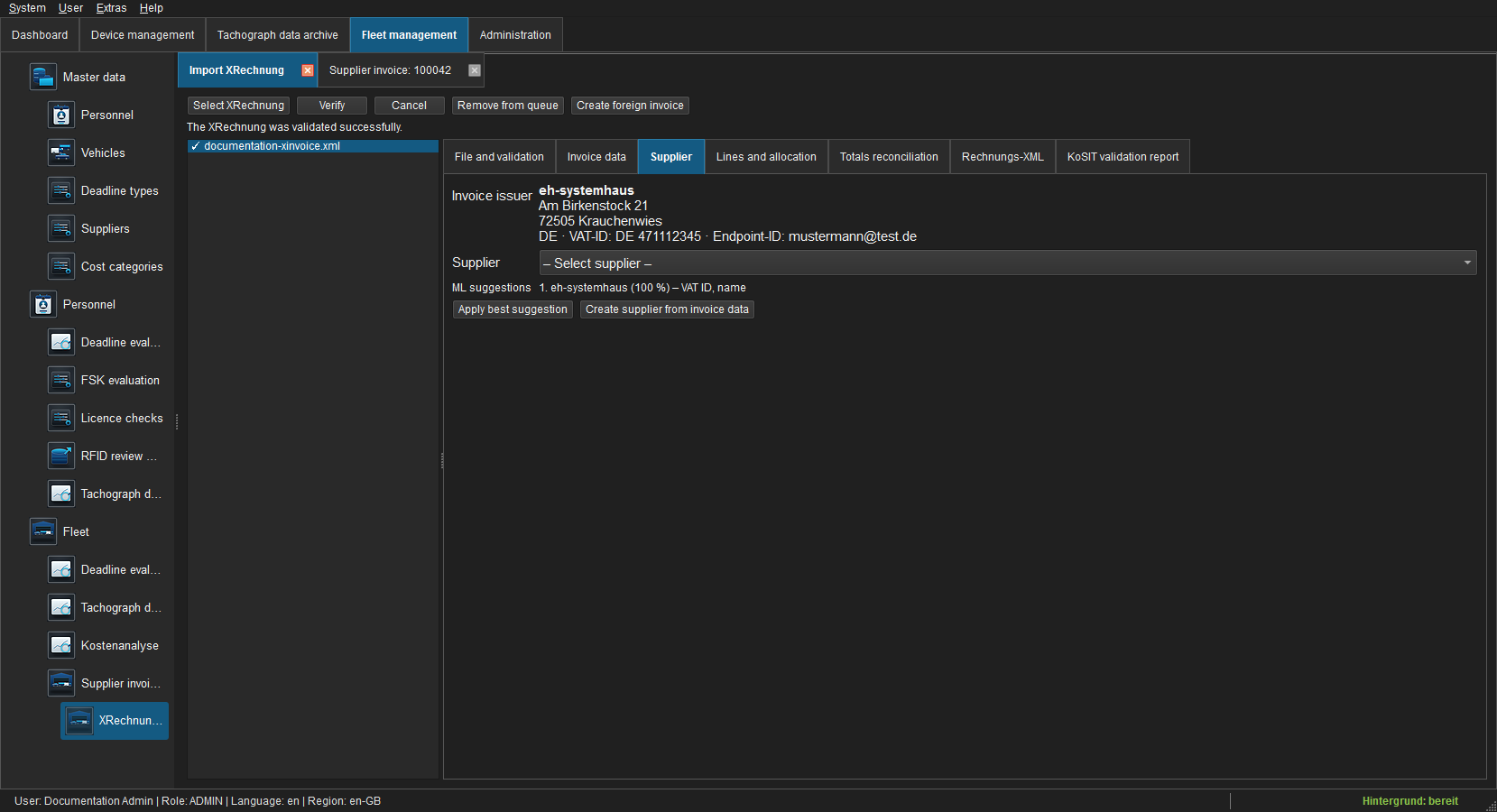
FLEET Mira compares VAT, tax, endpoint and company identifiers plus name and address with supplier master data. Review score and reason, then accept the best suggestion or select another supplier. If none exists, create a supplier from invoice data and verify it before continuing.
Assign lines to vehicles and categories
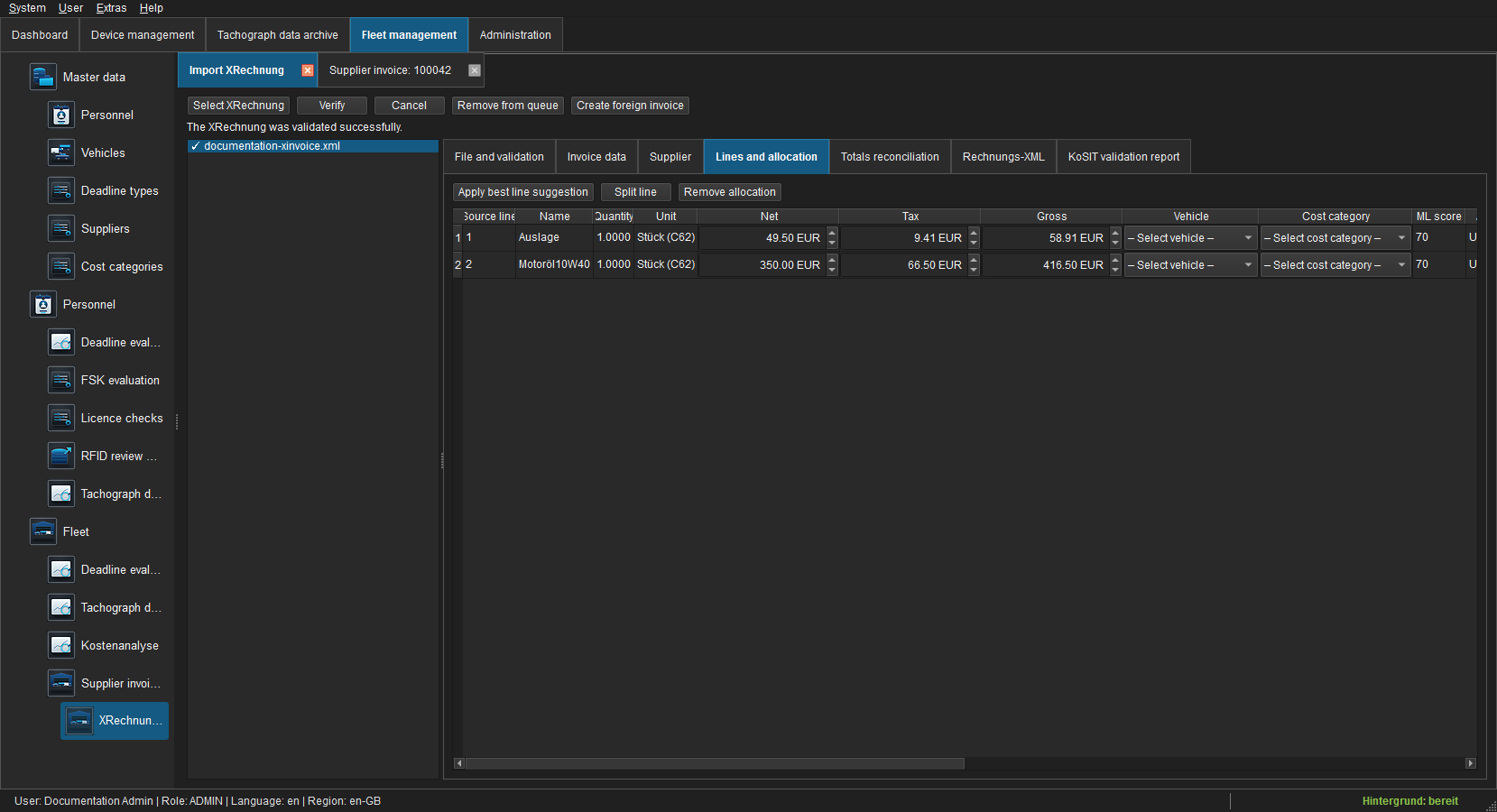
Every source line must be assigned completely to one or more vehicles and a cost category. ML suggestions are aids, not automatic booking decisions. Split line distributes a line to several vehicles or categories to the cent; Remove split removes the selected allocation. Source quantity, unit, net, VAT and gross remain traceable.
Reconcile totals
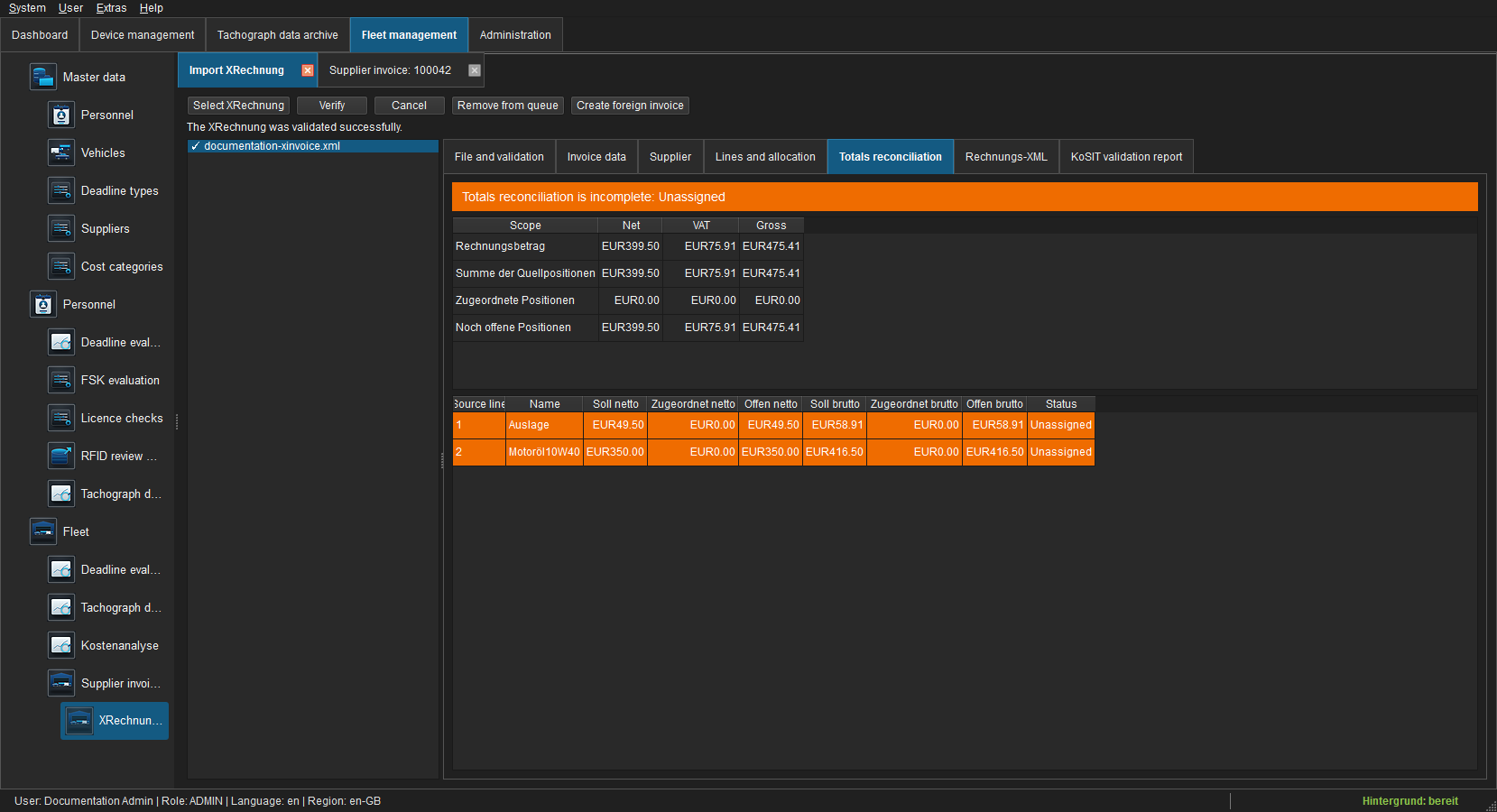
The tab compares invoice, source-line and allocation totals. Open net and gross must be zero for every line. Rounding differences, residual amounts or an unconfirmed supplier block creation of the draft.
XML, PDF and validation report
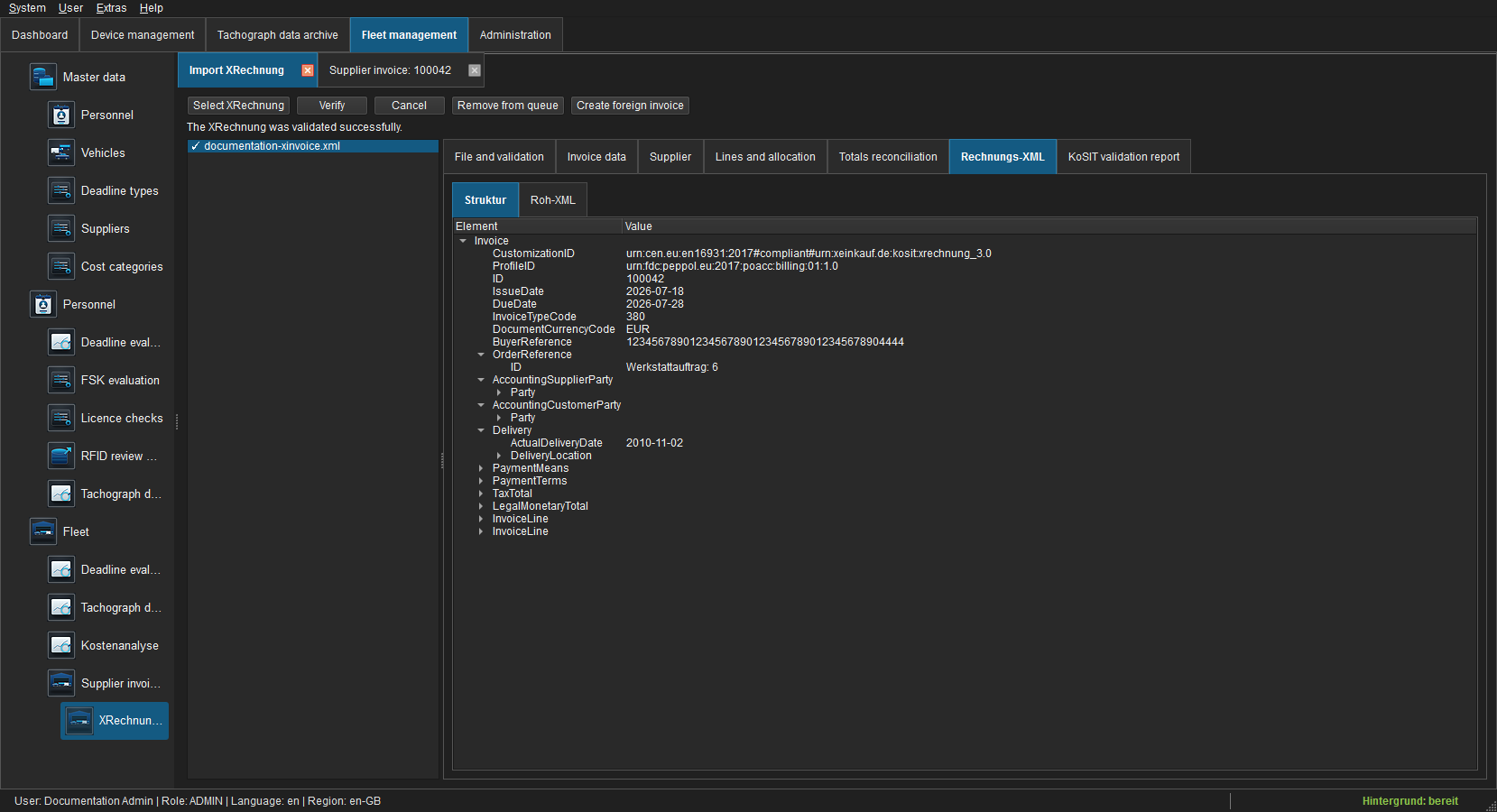
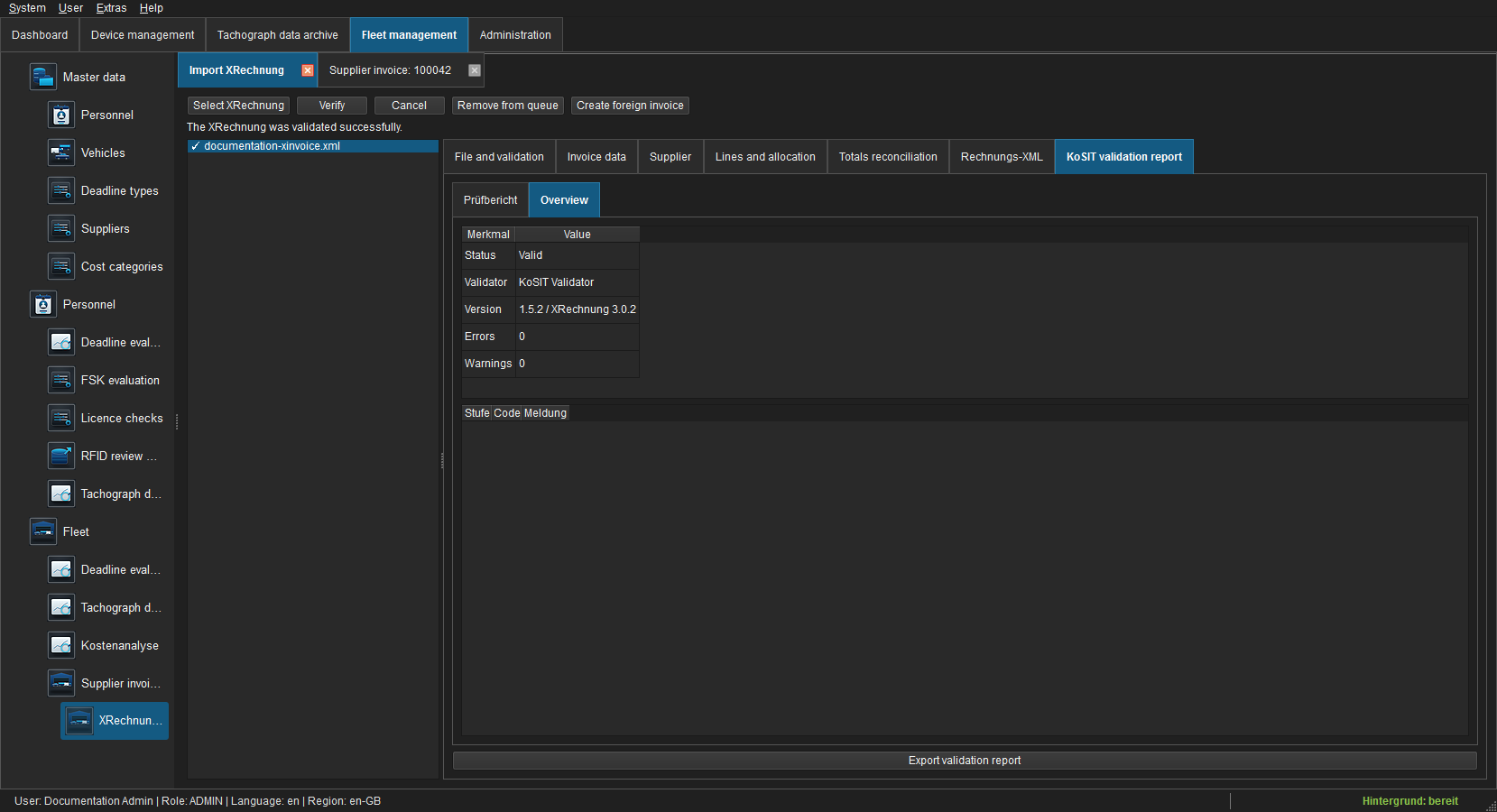
Invoice XML shows the structured source and KoSIT report the validation details. Hybrid PDF adds a PDF document tab. Preview uses an isolated temporary profile and never replaces the byte-identical original.
Create the foreign-invoice draft
Choose Create foreign-invoice draft after validation, supplier, assignments and totals are complete. FLEET Mira atomically creates the draft, source lines and assignments and stores original, XML and validation report in the local financial archive. Failure leaves no partial invoice. An already imported source hash opens the existing invoice instead of creating a duplicate.
Open the resulting invoice tab, check its status bar, e-invoice data and originals, and complete the normal verification and booking workflow. Import requires finance.manage and the Pro E-invoice import feature; verification and booking additionally require finance.verify and finance.book.
Common problems
| State | Action |
|---|---|
| KoSIT status rejected | Open the report and request a corrected source document. |
| Supplier is ambiguous | Check identifiers in supplier master data or create a controlled record. |
| Create action disabled | Confirm the supplier and assign every line exactly. |
| Totals differ | Correct splits, VAT rates and rounding residuals. |
| Hybrid PDF has no XML | Request supported XML or a proper hybrid PDF. |