Personnel and fleet tachodata evaluations
The two overview workspaces group archived tachograph files by person or vehicle. They are the entry point to single-file analysis and show known coverage gaps and the next download due date. All times are UTC.
Personnel
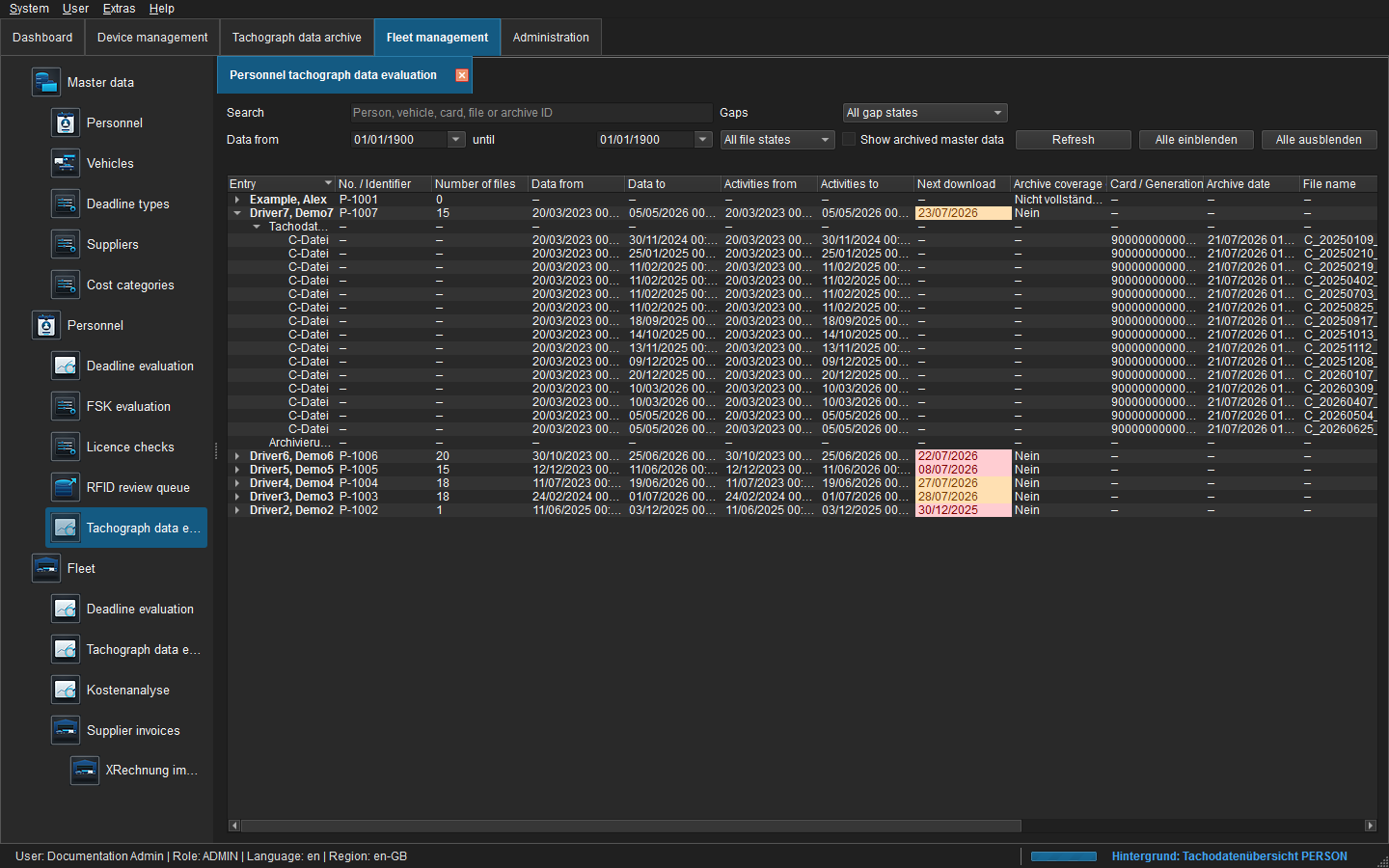 Figure: Personnel overview with download due date and data coverage.
Each parent row shows driver, personnel number, file count, data and activity ranges, next download and gap status. Data from/to is the complete range declared by the file, while Activities from/to is the range actually covered by parsed activity records. Search covers person, card, filename and archive ID. Date, gap and file-status filters can be combined.
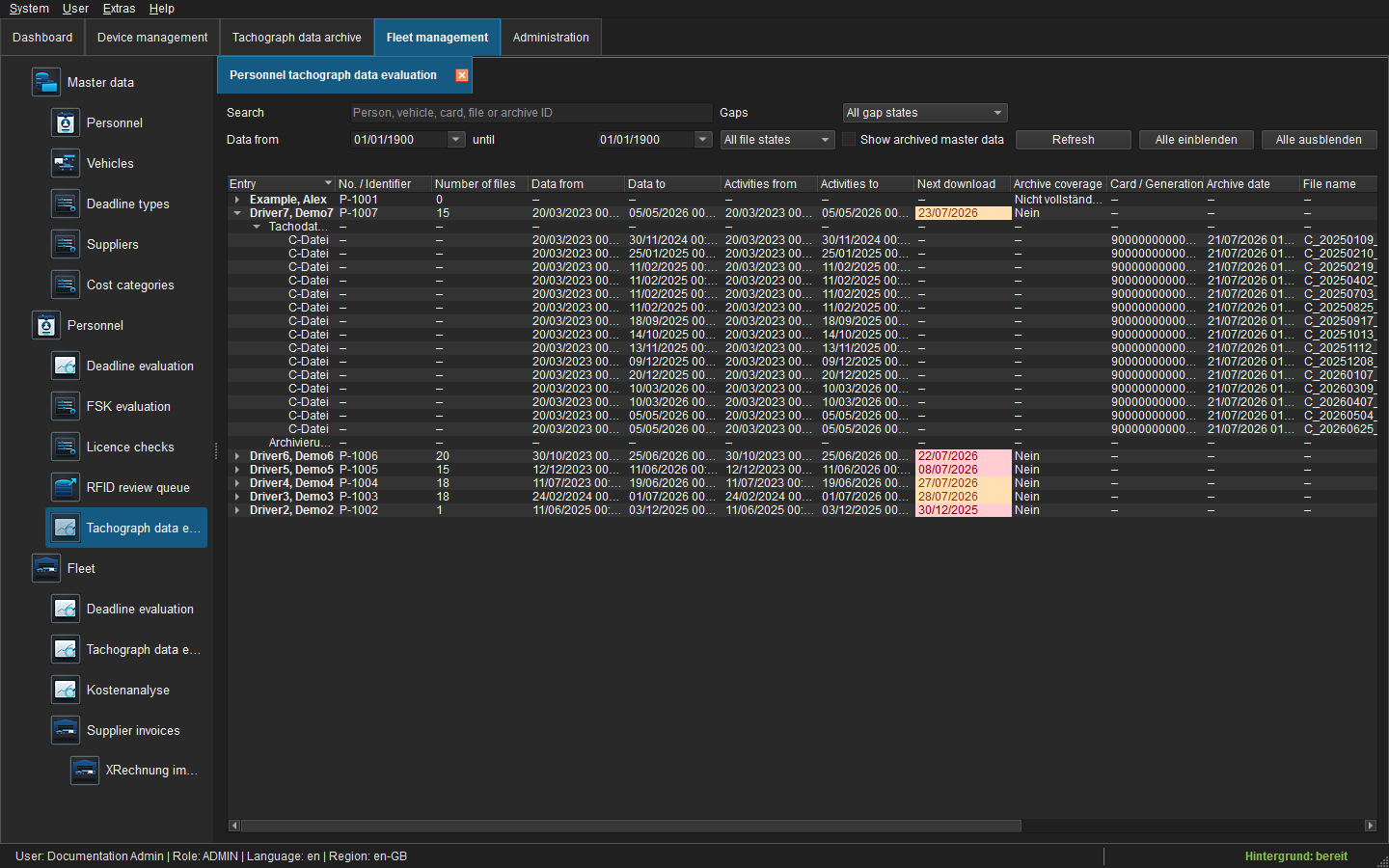 Figure: Expanded driver-card files and archive coverage gaps.
Tachograph files lists linked C files with card number, archive date, period, filename, size, task, status, archive ID and path. Archive coverage gaps lists uncovered intervals between known data ranges. No gap is invented before the first or after the last range unless a business target period exists.
Fleet
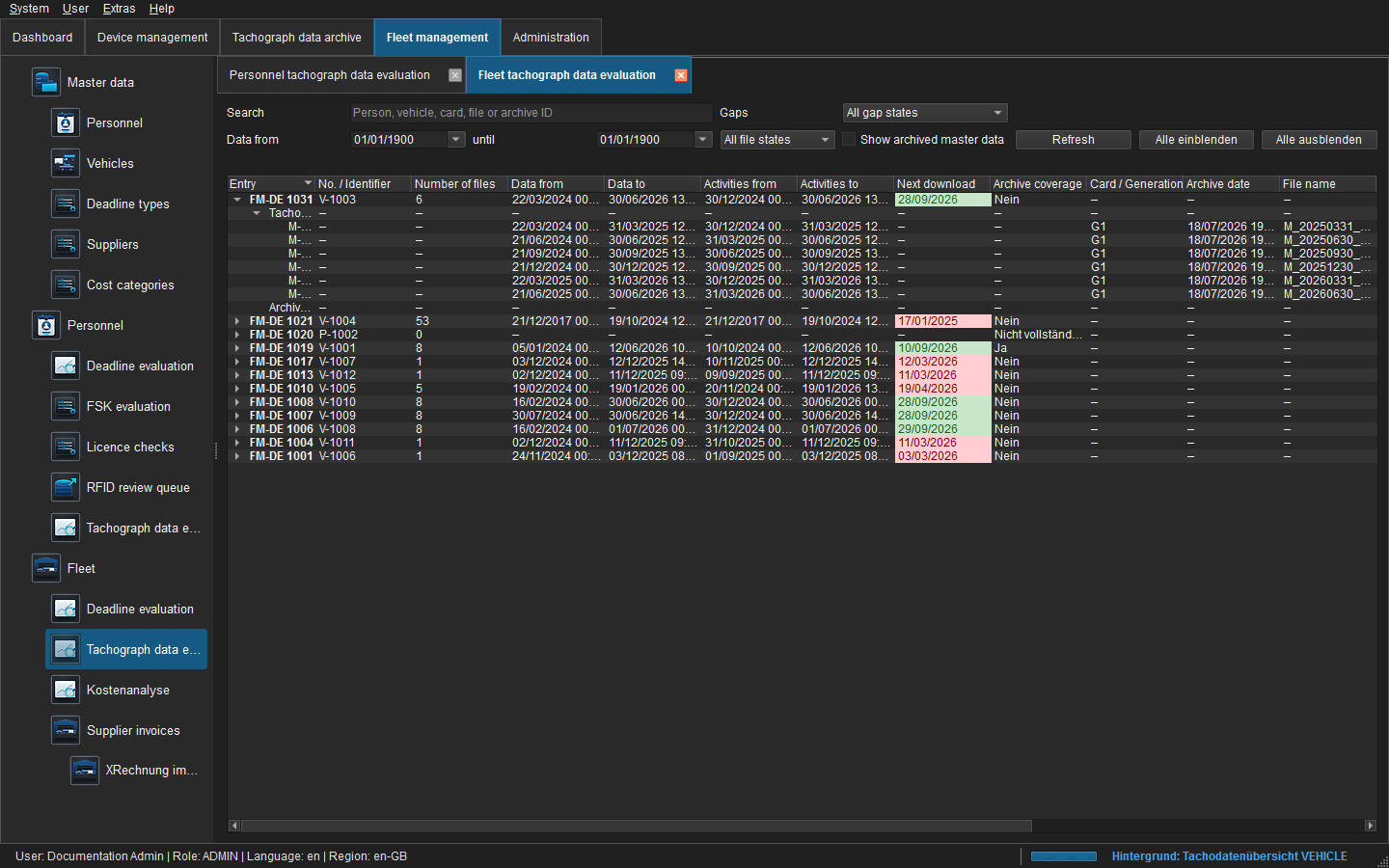 Figure: Vehicle overview by registration and internal number.
The fleet view works the same way, but assigns M files through the confirmed vehicle link or VIN. Its separate activity range is derived from the actual M-file activity changes. Generation, parser and signature state remain visible per file.
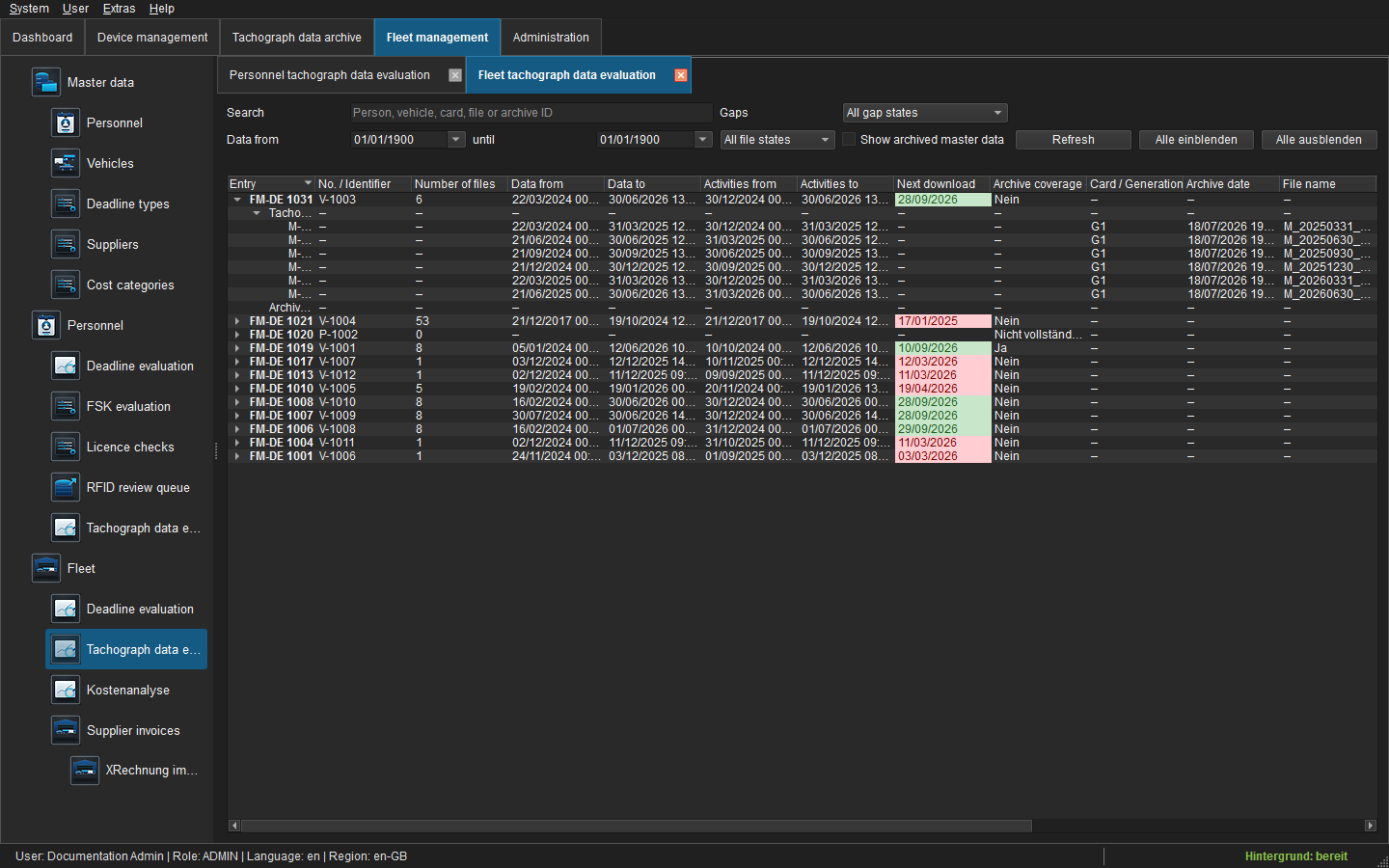 Figure: Expanded M file and calculated vehicle data coverage.
Due date and operation
- Green: outside the individual lead time.
- Orange: within the default ten-day lead time.
- Red: download due date has passed.
- A dash means that no effective, unambiguous download due date can be determined yet.
Double-click a file to open the central driver-card or vehicle-unit analysis in one reusable work tab. The context menu offers analysis, archive record, single/selection export and ID/path copy. Export requires archive.export; viewing requires archive.read. Column layout, sorting, filters and expansion state are stored per user.