Cost analysis and reporting
The Cost analysis workspace evaluates booked vehicle costs only. Credits and reversal entries retain their accounting sign. Users can select net or gross amounts.
Open the workspace through Fleet management > Fleet > Cost analysis. By default, a newly opened analysis covers January 1 of the current year through today. Administrators can select the last twelve months or a configurable rolling number of days as the global default under Administration > Cost analysis > Calculation parameters. A changed default applies the next time the cost analysis is opened; filters already edited in an open workspace remain unchanged.
Choose period, optional vehicle, All/Fixed/Variable, net or gross and a report template, then select Refresh analysis. Total cost is the period-allocated booked cost including credits and cancellations. It is the TCO data basis for the selected period; it is not claimed to be lifetime-complete when categories or periods are missing.
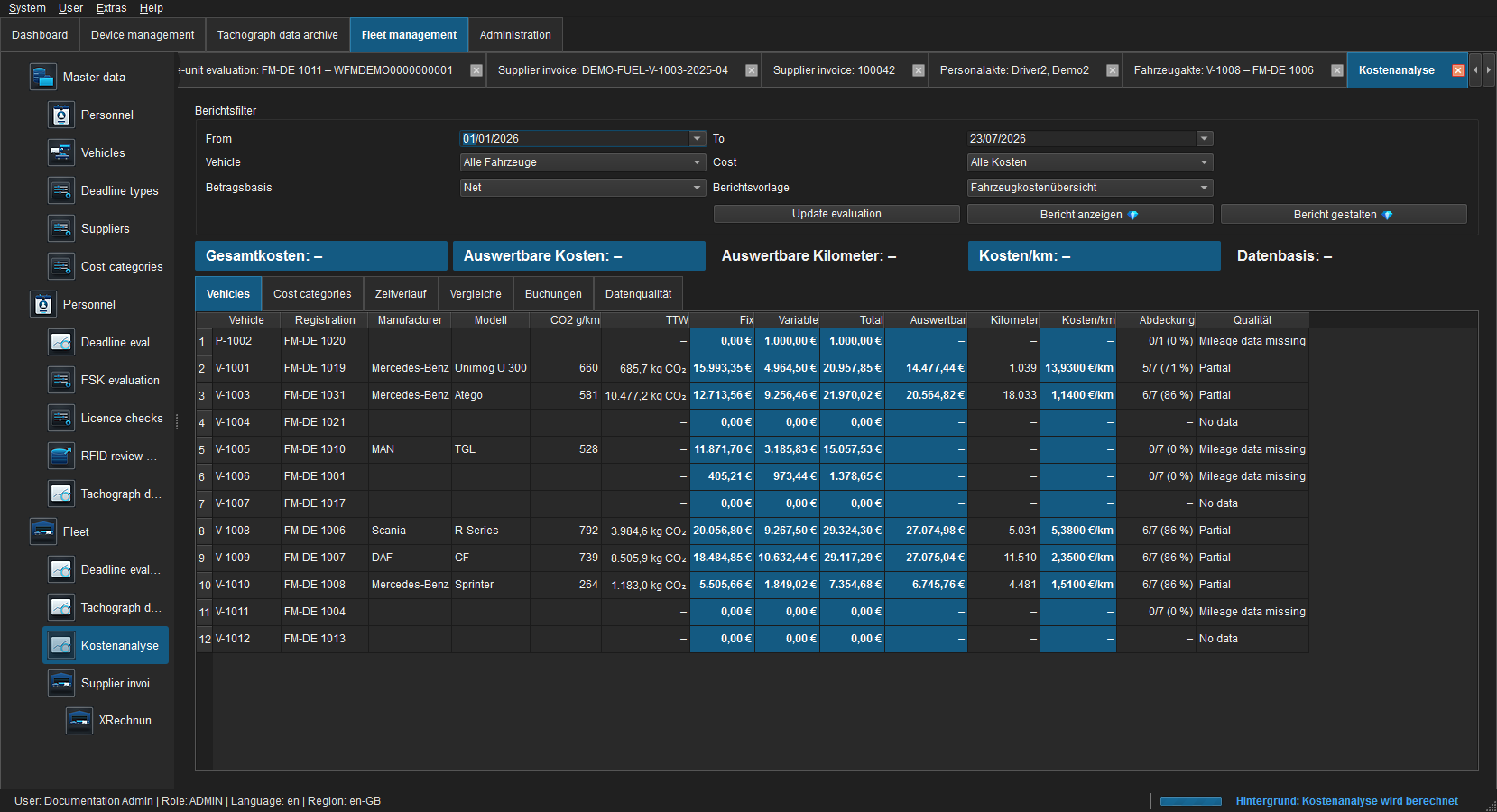
The KPI strip separates Total cost, eligible cost, eligible kilometres, cost/km and data basis. Total cost remains complete while cost/km uses only jointly reliable vehicle-months.
Mileage basis
M files provide an end-of-day odometer value for each included UTC day. FLEET Mira stores it at the following day's 00:00 UTC boundary. Vehicle-use, place and three-hour GNSS records from C files supplement the history.
The M-file series is authoritative and is checked only against other signature-valid M readings. Manual and C-file readings can fill a missing exact period boundary, but they can neither replace nor invalidate an available M reading.
Source priority is:
- signature-valid M-file midnight reading;
- approved manual reading;
- plausibility-checked C-file reading;
- other imports.
Cost per kilometre is calculated at vehicle-month level. The first and last month are clipped to the selected range. A vehicle-month is included only when it contains at least one cost entry, reliable UTC boundary readings and positive mileage. Missing values are neither interpolated nor treated as zero.
Total cost continues to include every cost in the selected range. Eligible cost, eligible mileage and cost/km include matching vehicle-months only. Vehicles or months without costs or mileage therefore no longer suppress metrics for complete subsets.
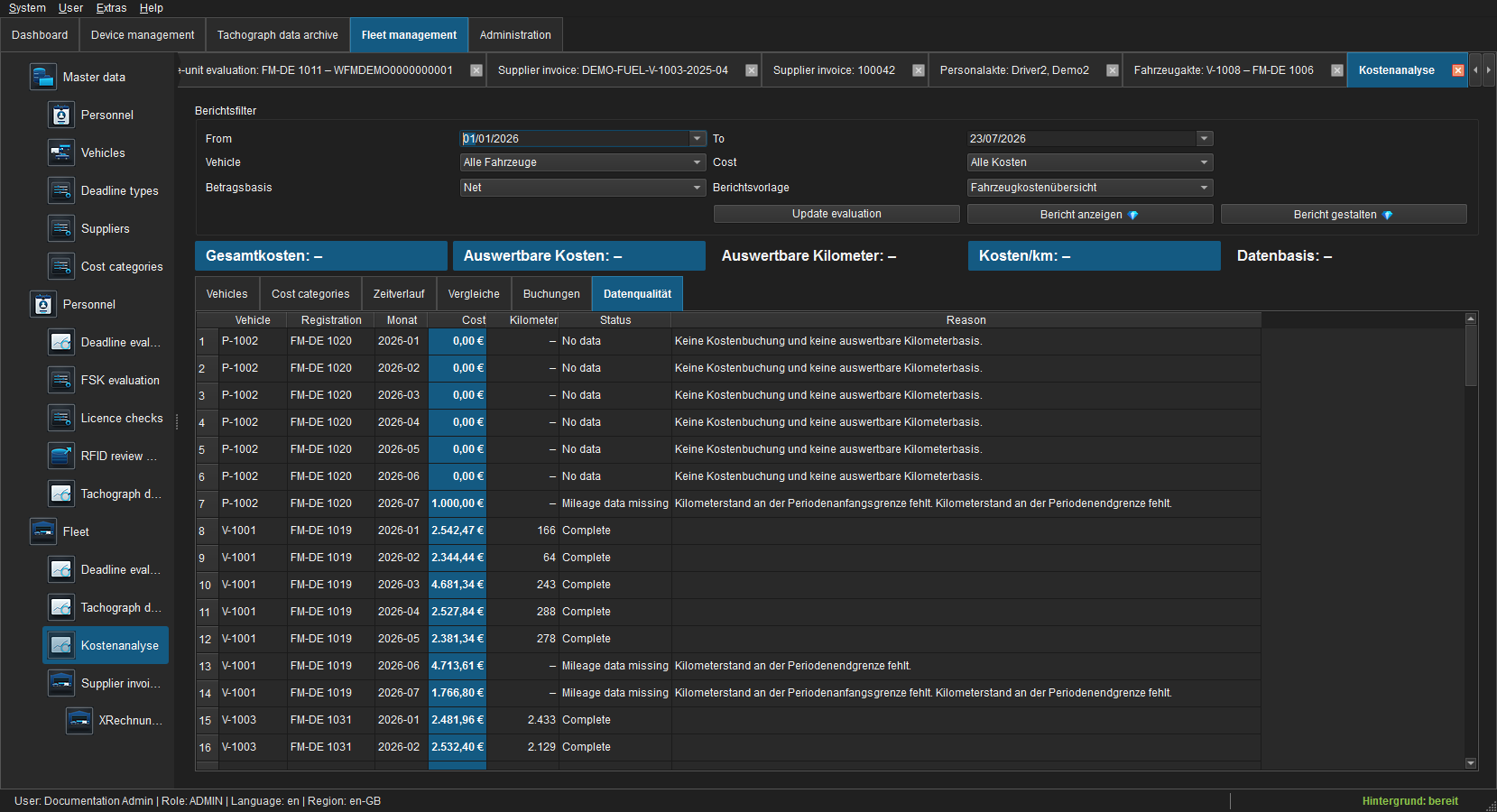
Coverage is shown as eligible cost-bearing vehicle-months. The column heading explains the metric generally; each value's tooltip states the actual number of cost and eligible months and lists the vehicle's concrete monthly mileage warnings. The interface displays Complete for full coverage, Partial for a usable subset, and Mileage data missing when costs exist without a cost/km basis. No costs and No data identify individual vehicles or months without costs or without either data type.
Import tachograph data reparses older M archives that do not yet contain extracted daily odometer values. Values that cannot be matched uniquely by VIN or registration remain visible for resolution.
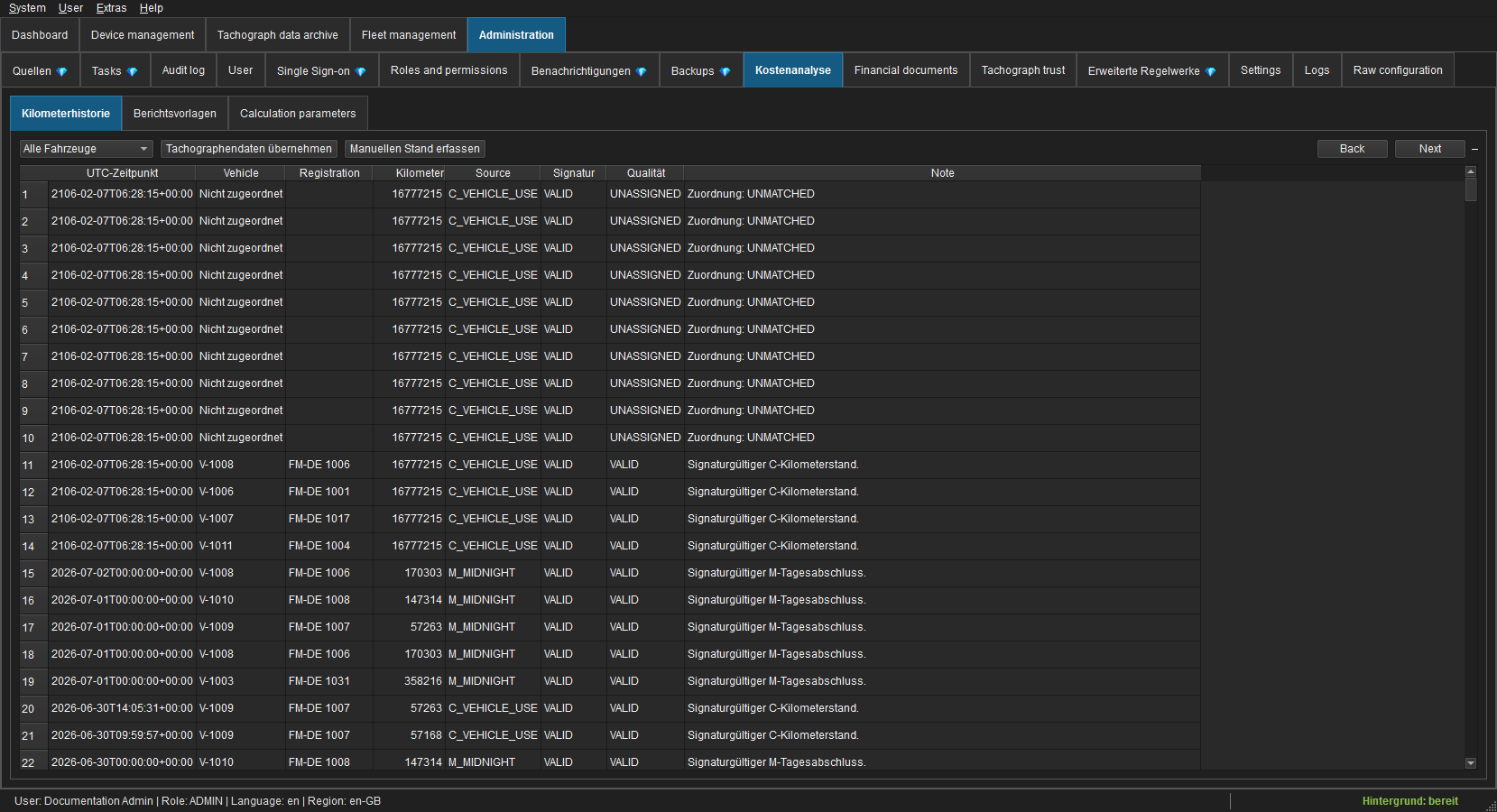
Under Administration > Cost analysis > Odometer history, filter by vehicle, import older tachograph data or enter a manual reading. Manual readings require timestamp, value and note and rank below M-file midnight readings.
Cost rules
- Variable costs belong to the period containing their document date.
- Fixed costs are allocated by day across their validity range.
- Fixed costs without a complete validity range produce a data-quality warning.
- Vehicle-months with mileage but no cost entry are not treated as zero-cost input for the fleet ratio.
- Entries that net to zero still count as an existing cost basis.
- When an entry is cancelled, the cancelled original and its booked counter-entry are evaluated together and therefore net to zero.
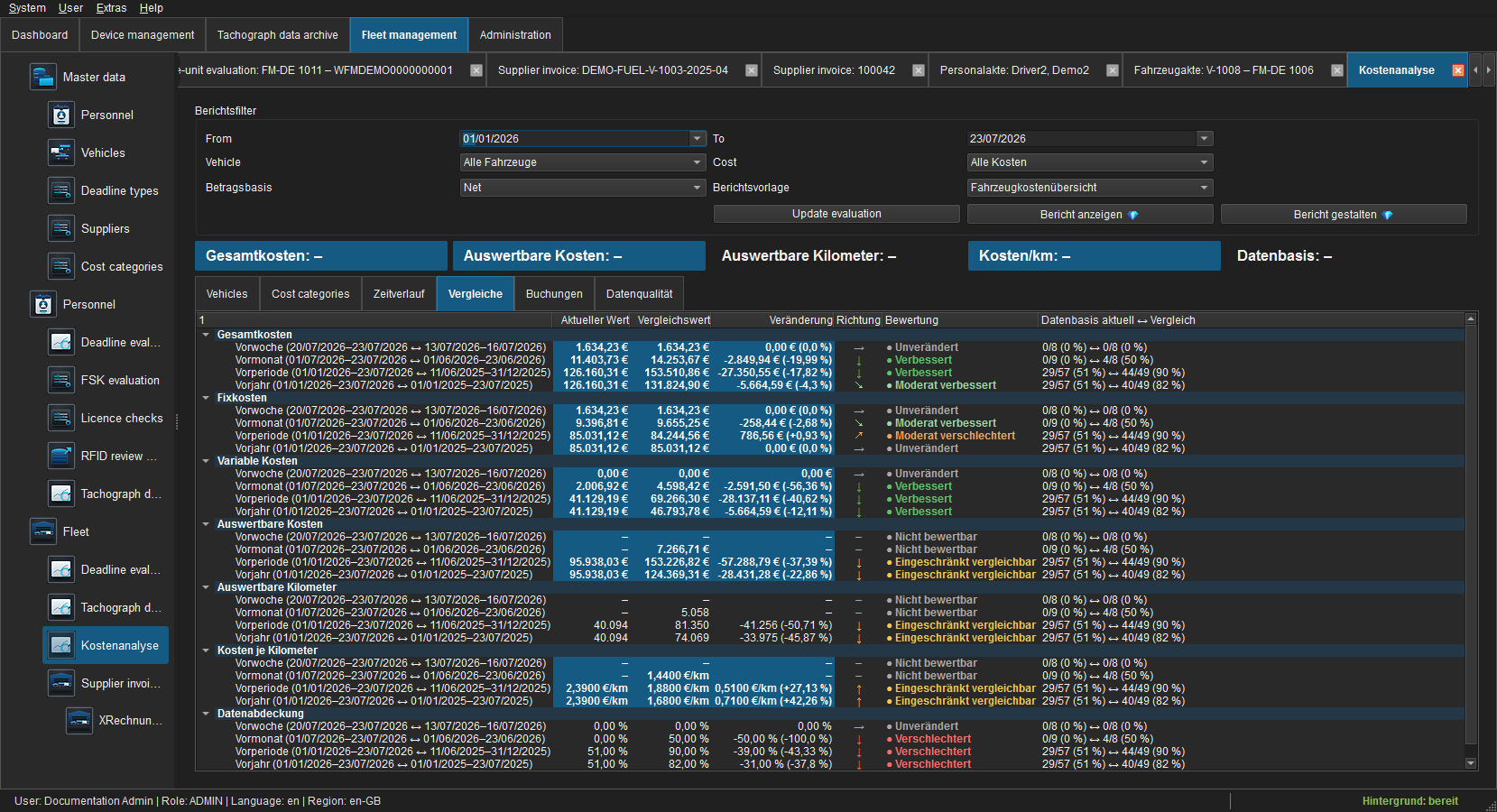
- Comparisons cover the immediately preceding equal-length period and the previous-year period.
Views and KPIs
- Vehicles shows fixed, variable and total cost, eligible subset, kilometres, cost/km, coverage and quality per vehicle.
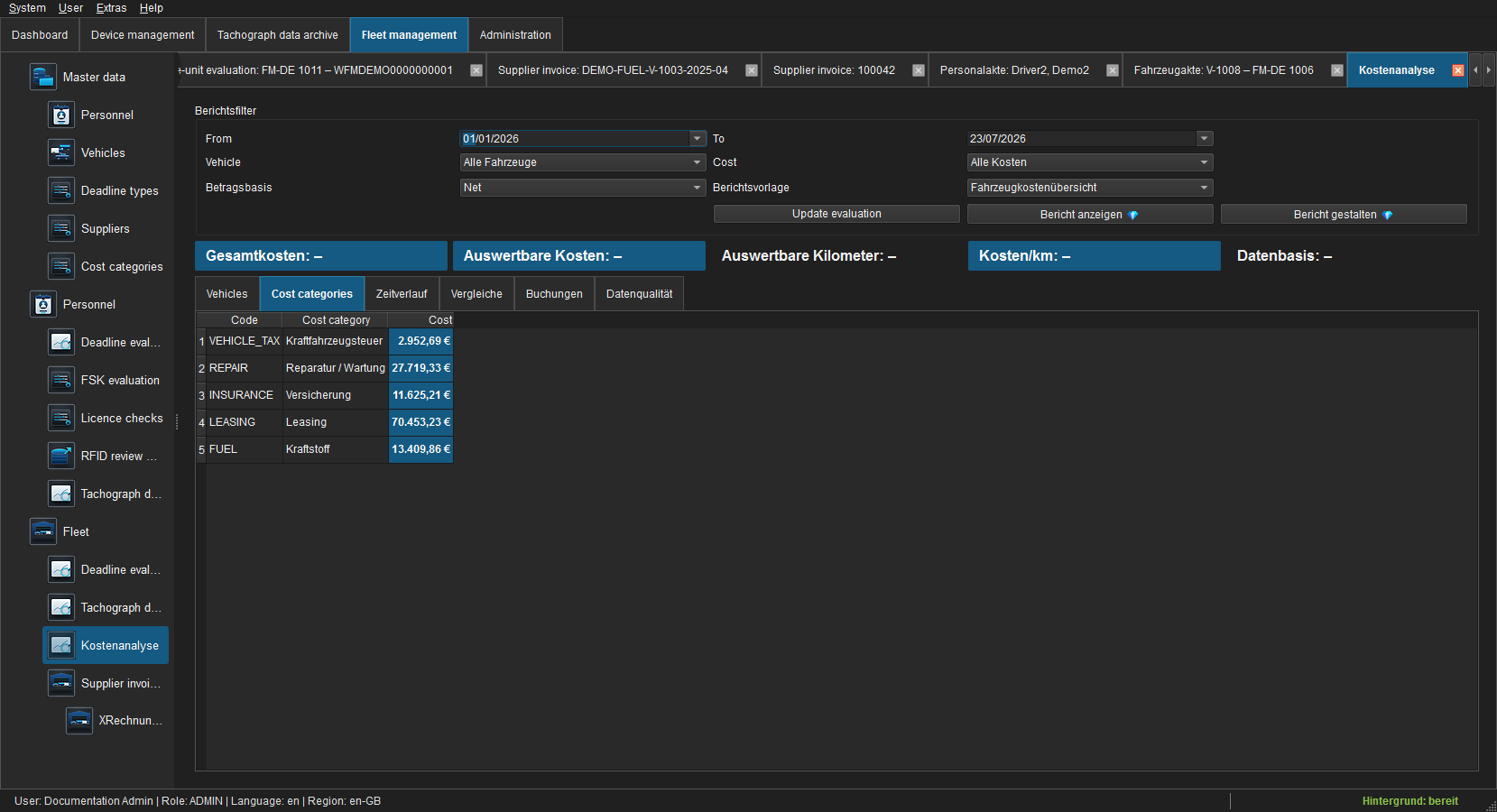
- Categories identifies the categories driving the TCO data basis.
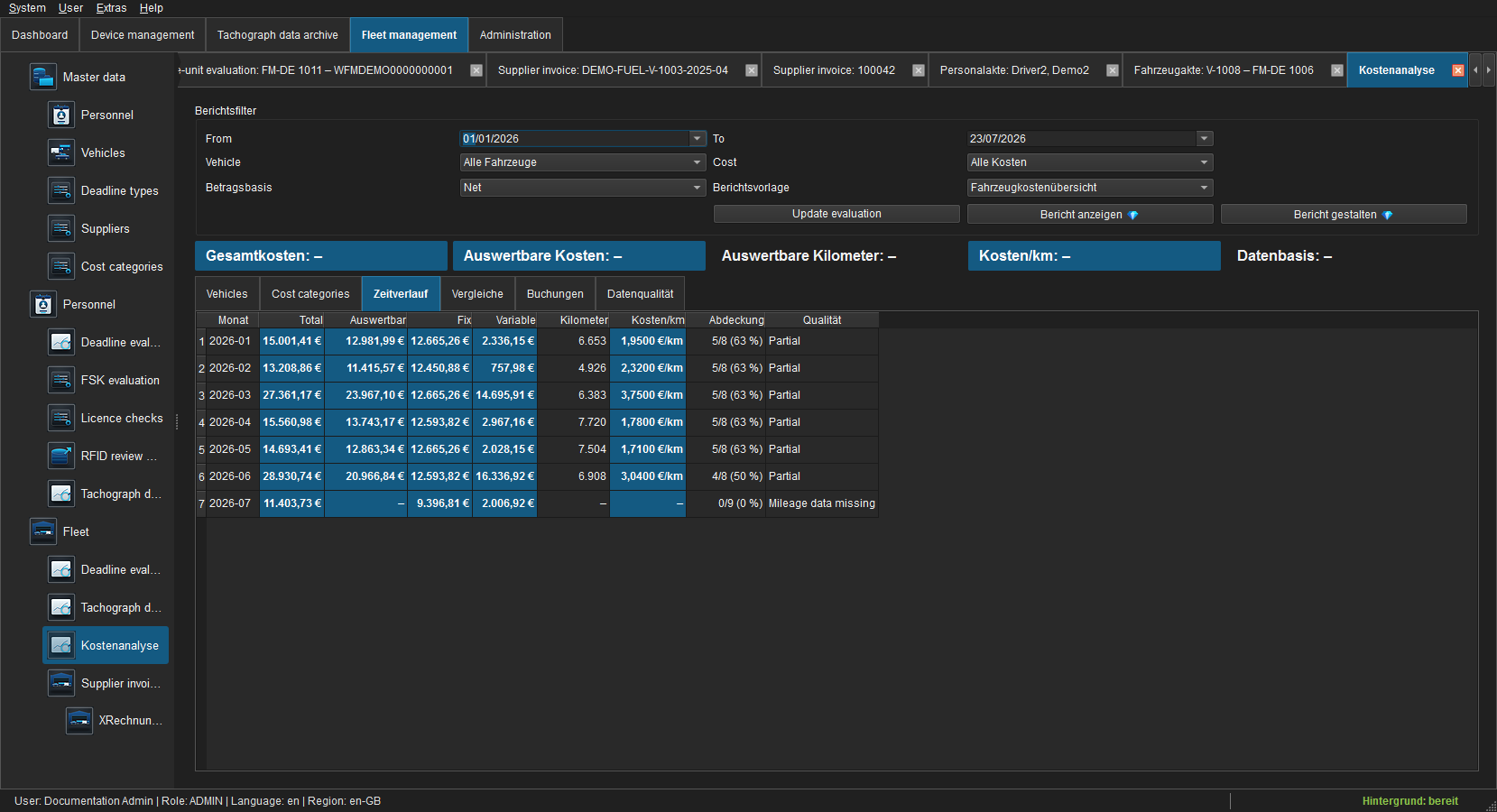
- Trend compares monthly values including cost/km and coverage.
- Comparisons contrasts current period, direct predecessor and prior year and evaluates changes using the administrative materiality threshold.
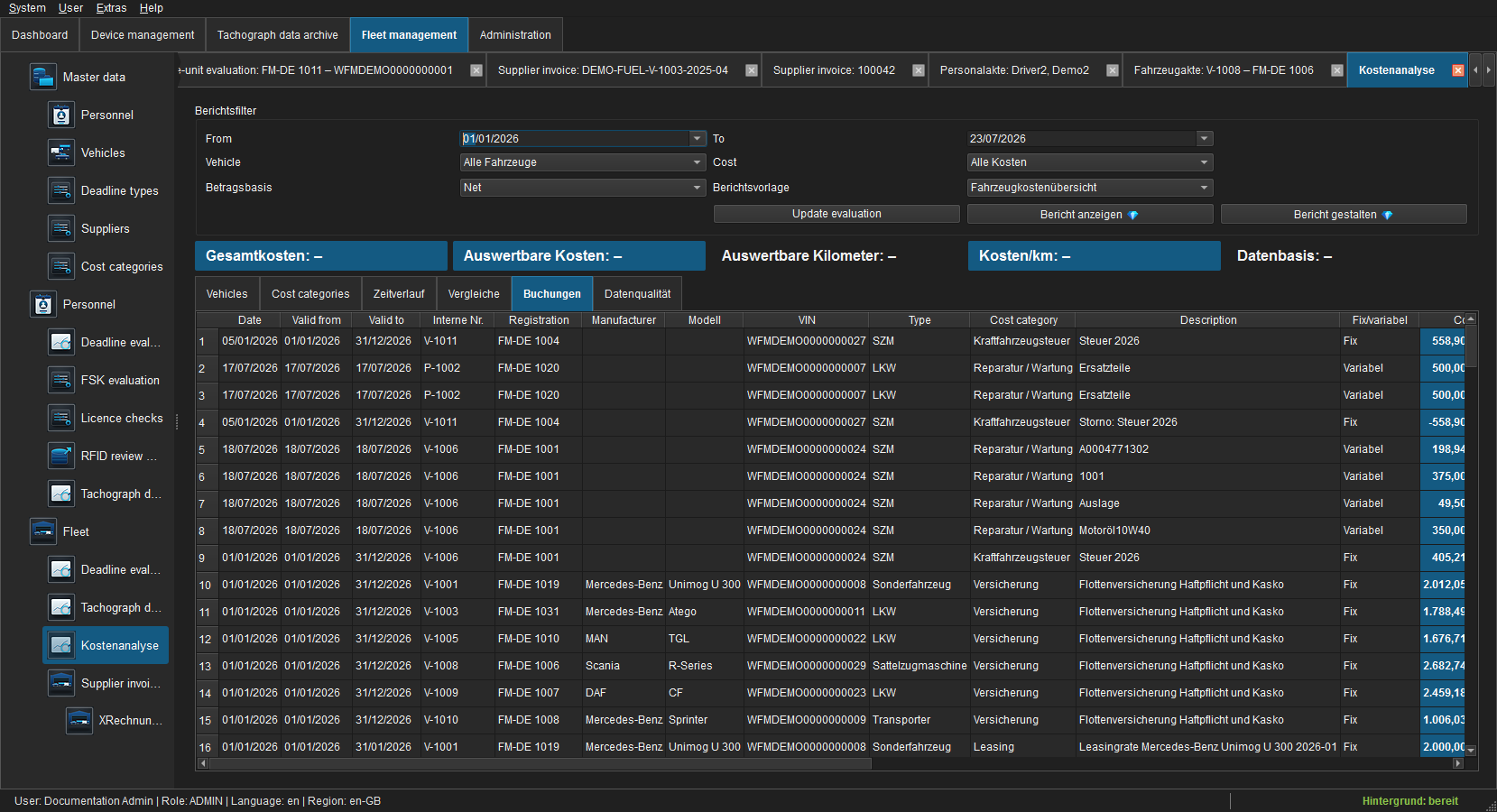
- Bookings lists included entries with vehicle, supplier, category and allocated amount.
- Data quality explains missing boundaries, unassigned mileage and incomplete fixed-cost periods.
Stimulsoft
View report opens the local Reports.JS viewer. Export requires finance.reporting.export. Users with reporting.templates.write can clone a system template and edit the copy. System templates remain immutable.
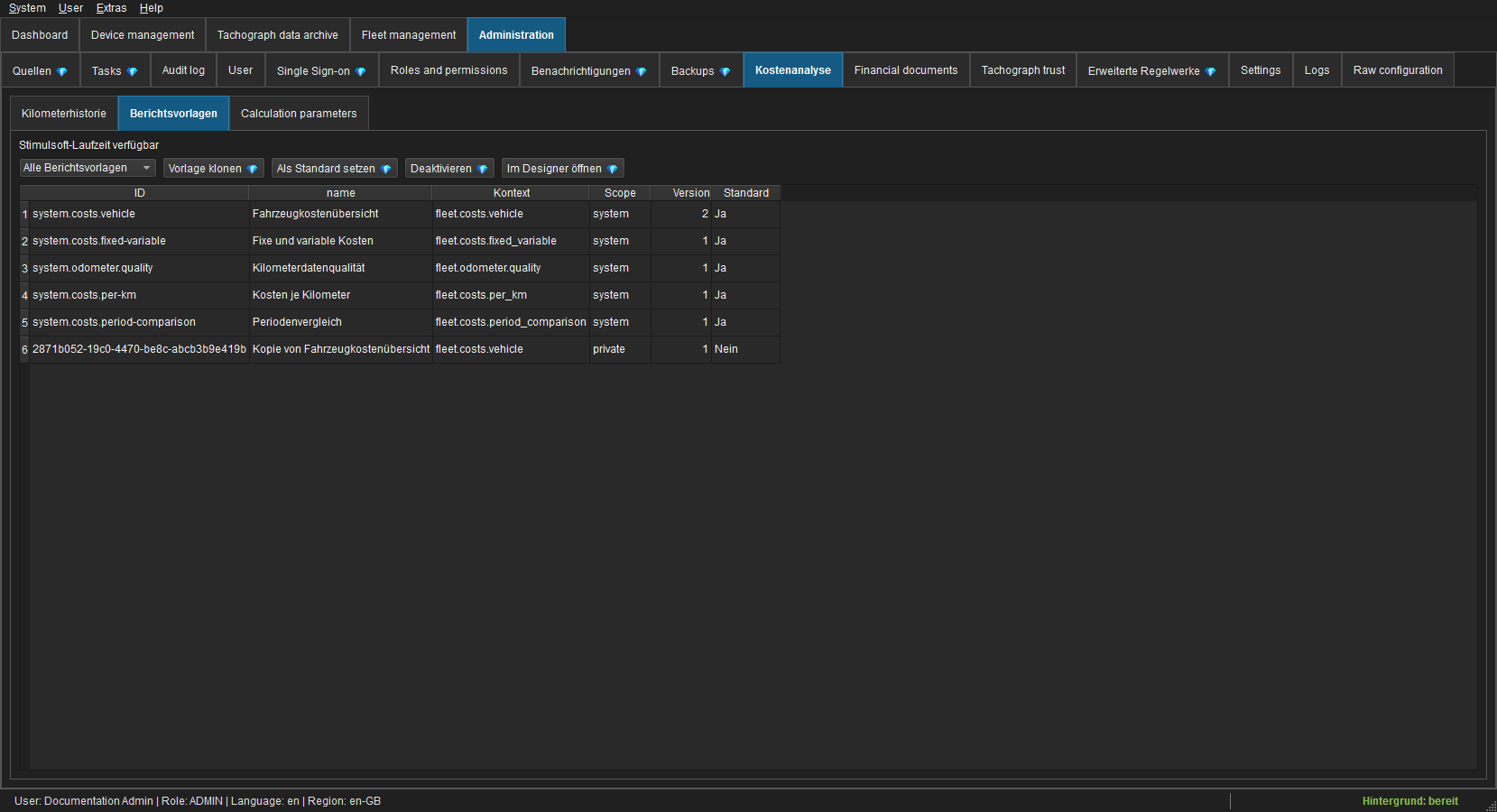
The Reports.JS runtime is loaded from assets/stimulsoft or STIMULSOFT_ASSET_DIR. Licensing is read only from STIMULSOFT_LICENSE_KEY or STIMULSOFT_LICENSE_FILE.
The report host listens on 127.0.0.1 only and uses a random session token for each opened report.