Enterprise licensing
Base license and additional tenants
The Enterprise base license applies to one platform installation and includes one customer tenant. Each further customer requires a tenant add-on license. User count, client count and device/location groups are separate dimensions. Basic/Pro keys do not activate Enterprise.
| License | Binding | Use |
|---|---|---|
| Enterprise base | Platform identity and authorized worker key | One included tenant |
| Enterprise tenant add-on | Base license, platform and specific tenant ID | That additional tenant only |
Do not reuse a bound add-on key for another customer. An independently operated parallel platform needs its own base license and identity.
Activate the base license
- Sign in centrally as a platform administrator.
- Open platform licensing and enter the Enterprise base key.
- Select Activate license and wait for the worker result. Processing is central; avoid repeated submissions before checking status.
- Check status, expiry or perpetual validity, and platform entitlement.
- Set up the first tenant. It receives included entitlement, not an additional tenant key.
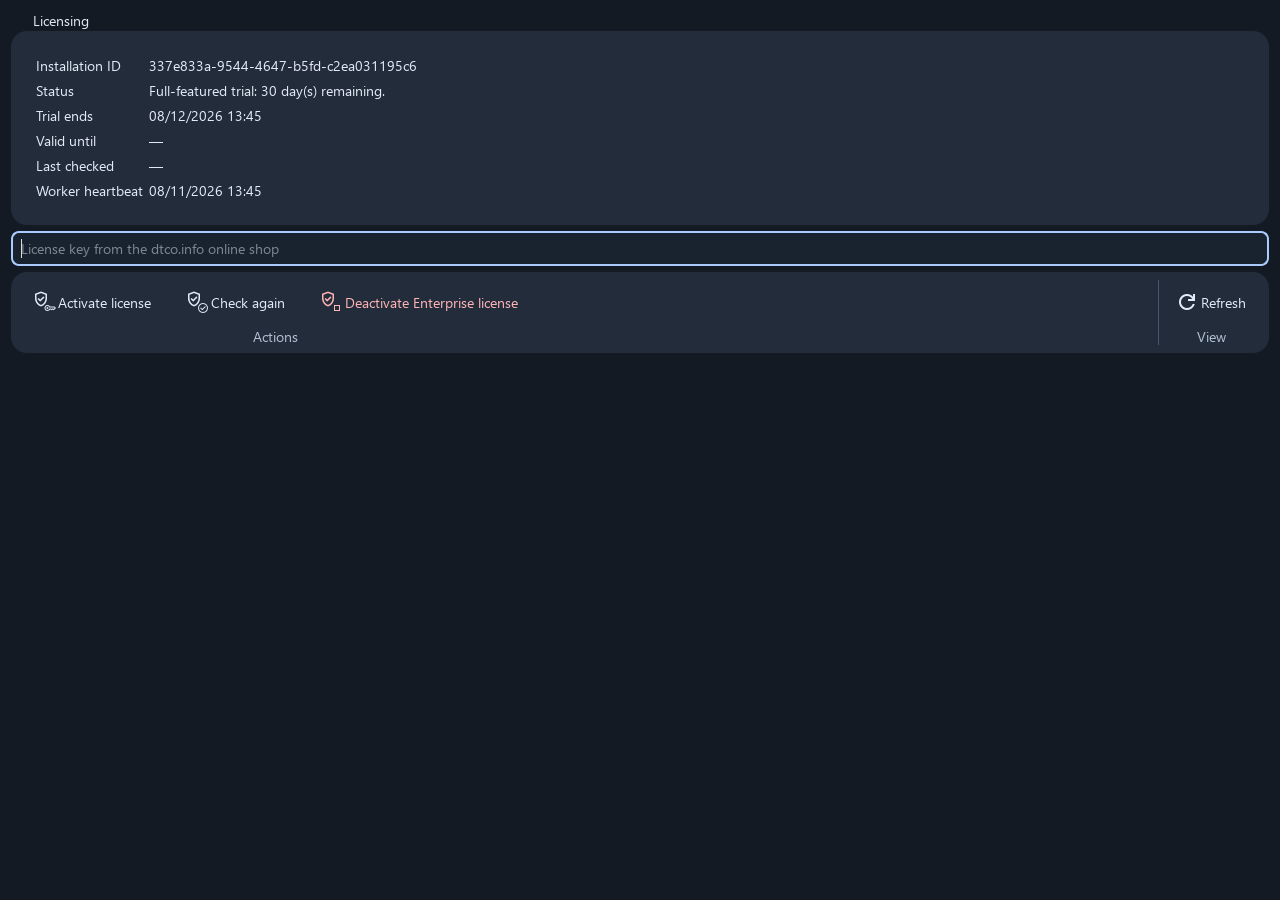
The worker checks and activates against the licensing endpoint and stores a signed central entitlement. Clients do not need direct shop access. A trial or transition period does not replace the promised operational license; actual application status is authoritative. Restarts and additional clients do not extend these periods.
Activate an add-on
- Request the additional customer through the tenant wizard.
- Use the request's platform, base-license and tenant bindings when issuing the add-on.
- Enter and activate the matching add-on key through the request's licensing action.
- After confirmation, refresh provisioning status. Only successful authorized provisioning publishes the customer to its members.
A license error does not justify manually creating customer roles or databases. For a technical failure, inspect cause and status before retrying normally.
Issue without an online order
Enterprise licenses can be issued administratively without creating a shop order. Enterprise products can remain private and hidden from the catalogue.
WordPress: As an authorized administrator, open the FLEET Mira bridge licensing administration, assign the intended customer, and create an Enterprise base or tenant add-on license. For add-ons, supply the required parent license, platform and tenant bindings in full. Choose validity and activation limit deliberately.
UPS: Use the existing customer/license administration for the same license inventory. Check customer, license type, validity, bindings and synchronization status. WordPress and UPS do not maintain independent copies of one key; the bridge synchronizes the same inventory. The internal UPS record ID can differ from the visible external license number.
Require confirmed issuance and then actual application activation. A pending synchronization job or a newly created record alone does not establish active entitlement. Deliver keys securely and exclude them from screenshots and reports. Public checkout is not required.
Blocking and connectivity failures
Confirmed revocation or deactivation blocks the affected business operation. Sign-in and required licensing administration remain available for recovery. A missing current worker heartbeat and invalid licensing are distinct causes. A shop grace period does not replace a failed worker. Enterprise does not fall back to SQLite after database or licensing failures.
Recheck activation and entitlement before users resume work. Do not delete queued business jobs as a repair. Services and Health help distinguish transport, service and licensing failures.
Backup and replacement server
Include the control database, tenant bindings and protected worker licensing key in platform backup. A database copy alone does not automatically enroll a new worker.
For explicitly planned transfer, stop both the old and target workers. Existing local key export/import uses an encrypted bundle:
DLTNGDownloadTool.exe --enterprise-license-key-action export --enterprise-license-key-file <new-bundle-file>
DLTNGDownloadTool.exe --enterprise-license-key-action import --enterprise-license-key-file <bundle-file> --confirm-enterprise-license-transfer
The password is entered through a hidden prompt. Private keys must not appear in arguments, logs or documentation. Import confirms replacement-server transfer; it does not authorize an independent parallel copy using the same identity. Then verify the worker, base license and every tenant entitlement.