Report dashboard
The Report dashboard 💎 provides twelve reproducible working-time, mileage, return and deadline reports. Every run stores its filters, time basis, calculation version and result without changing tachograph, telematics or master data. The following screens and Stimulsoft outputs were generated from an anonymised copy of the demo database; activity times and evaluation results were retained.
Catalogue and configuration
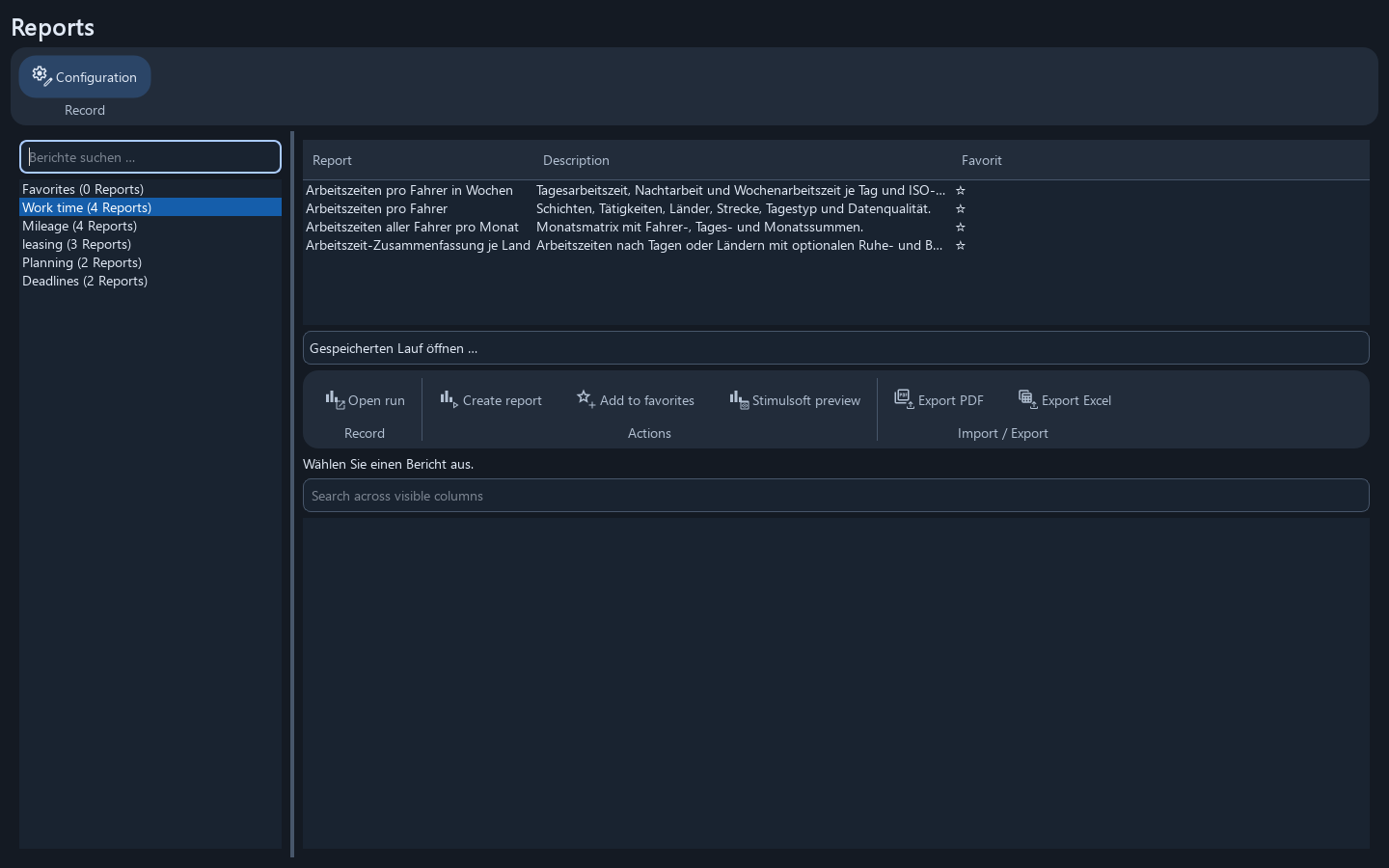 Figure: Report catalogue with groups, search, favourites, run history and output actions.
Use Configuration to maintain establishment/holiday country, optional subdivision, night-time window and return intervals. A stored report version retains the configuration in effect when it was created; later changes do not rewrite previous results.
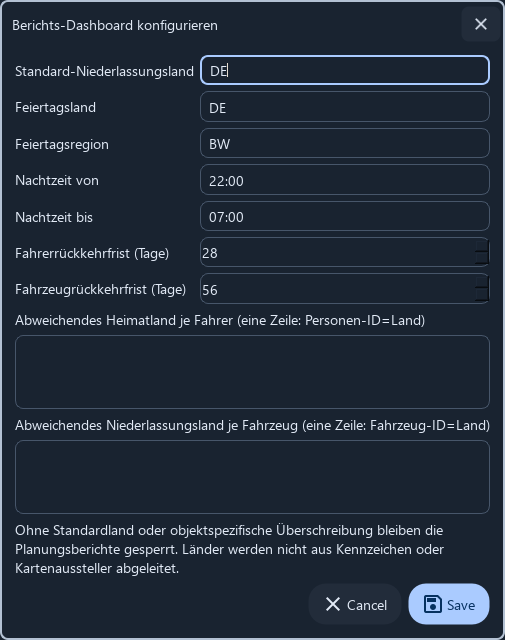 Figure: Shared configuration for working-time and return reports.
Working-time reports
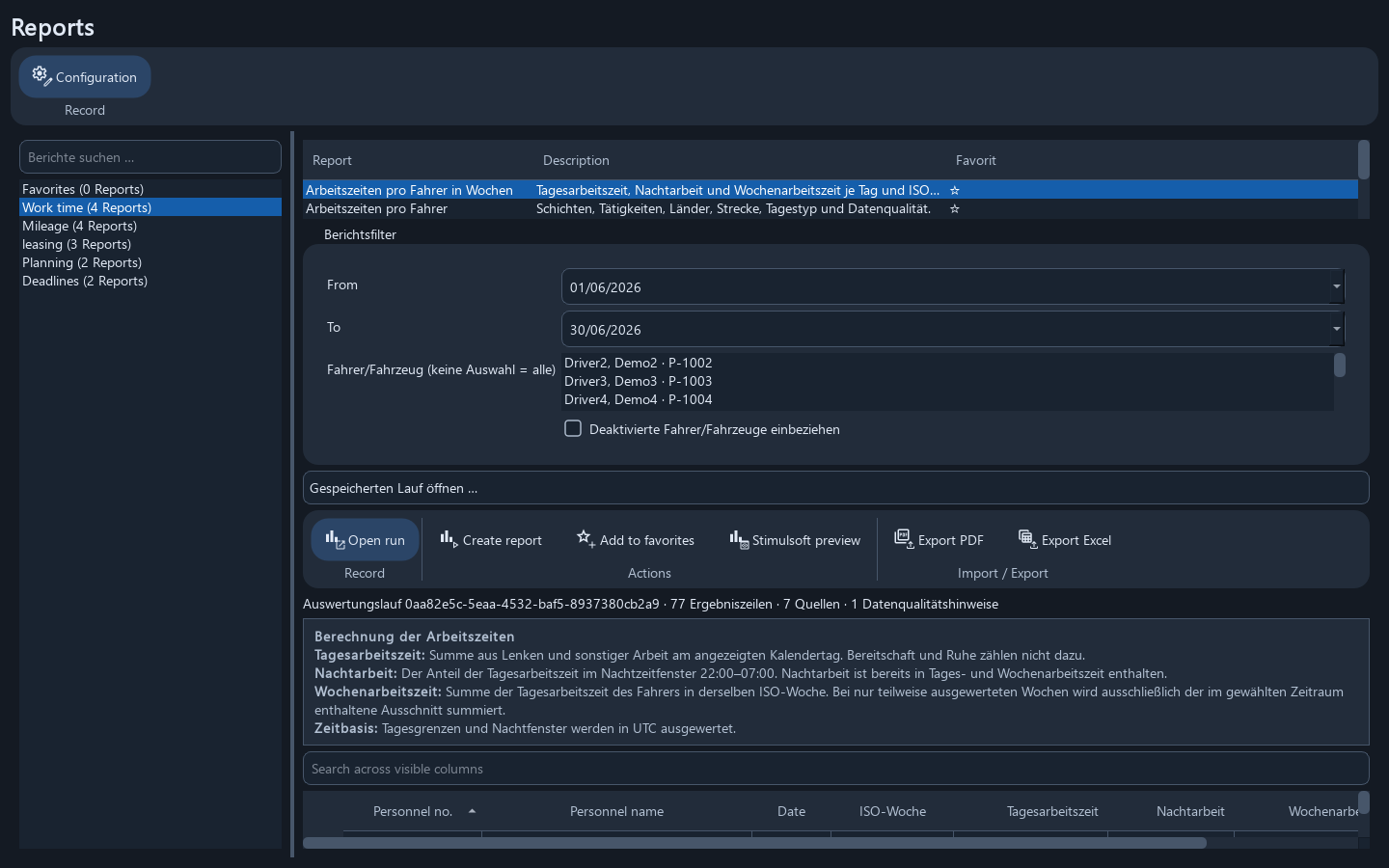
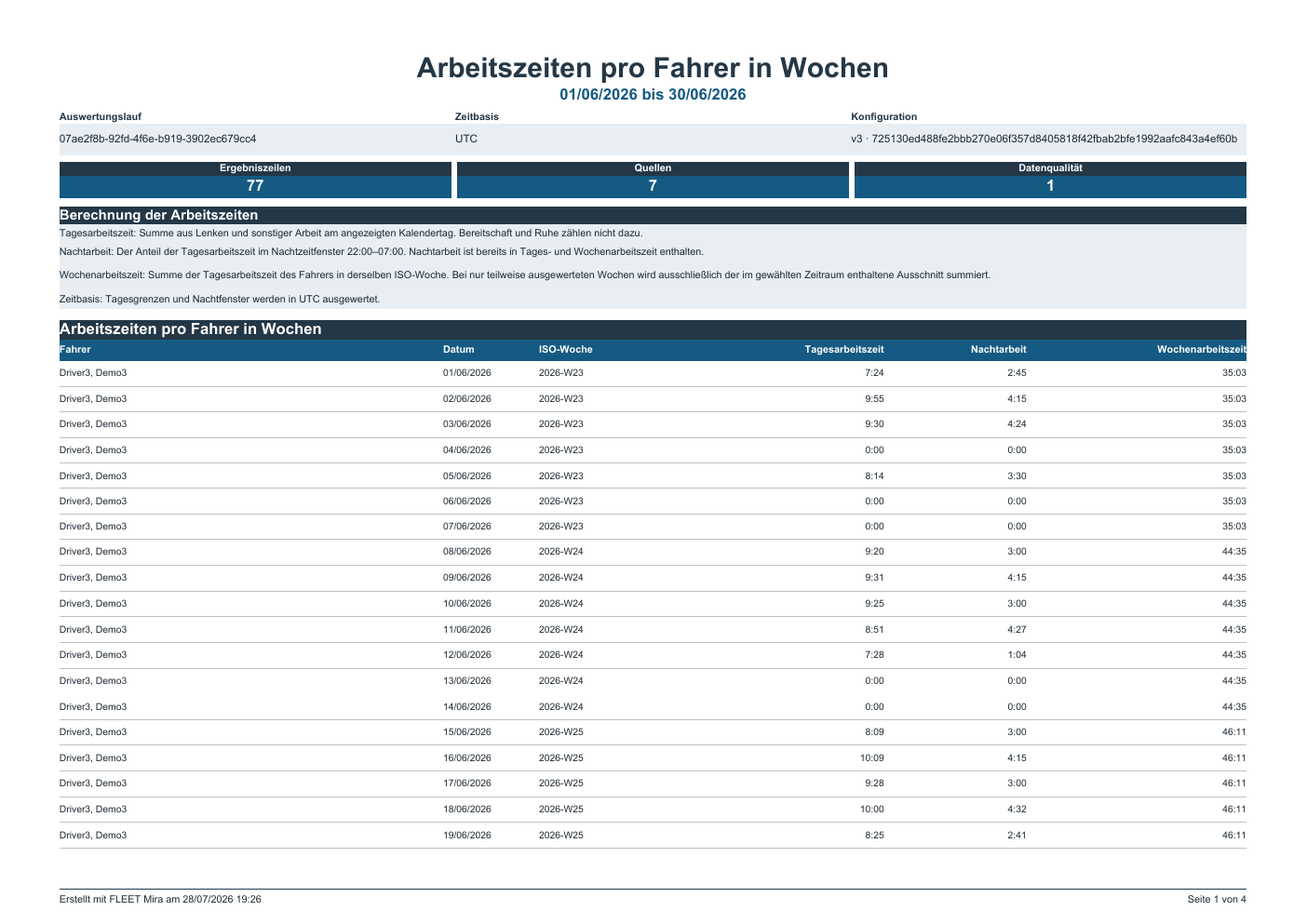
Driver working times by week
Purpose: Condenses daily working time, night work and total working time by ISO week. It supports checks of daily and weekly values and highlights unusual night-work shares.
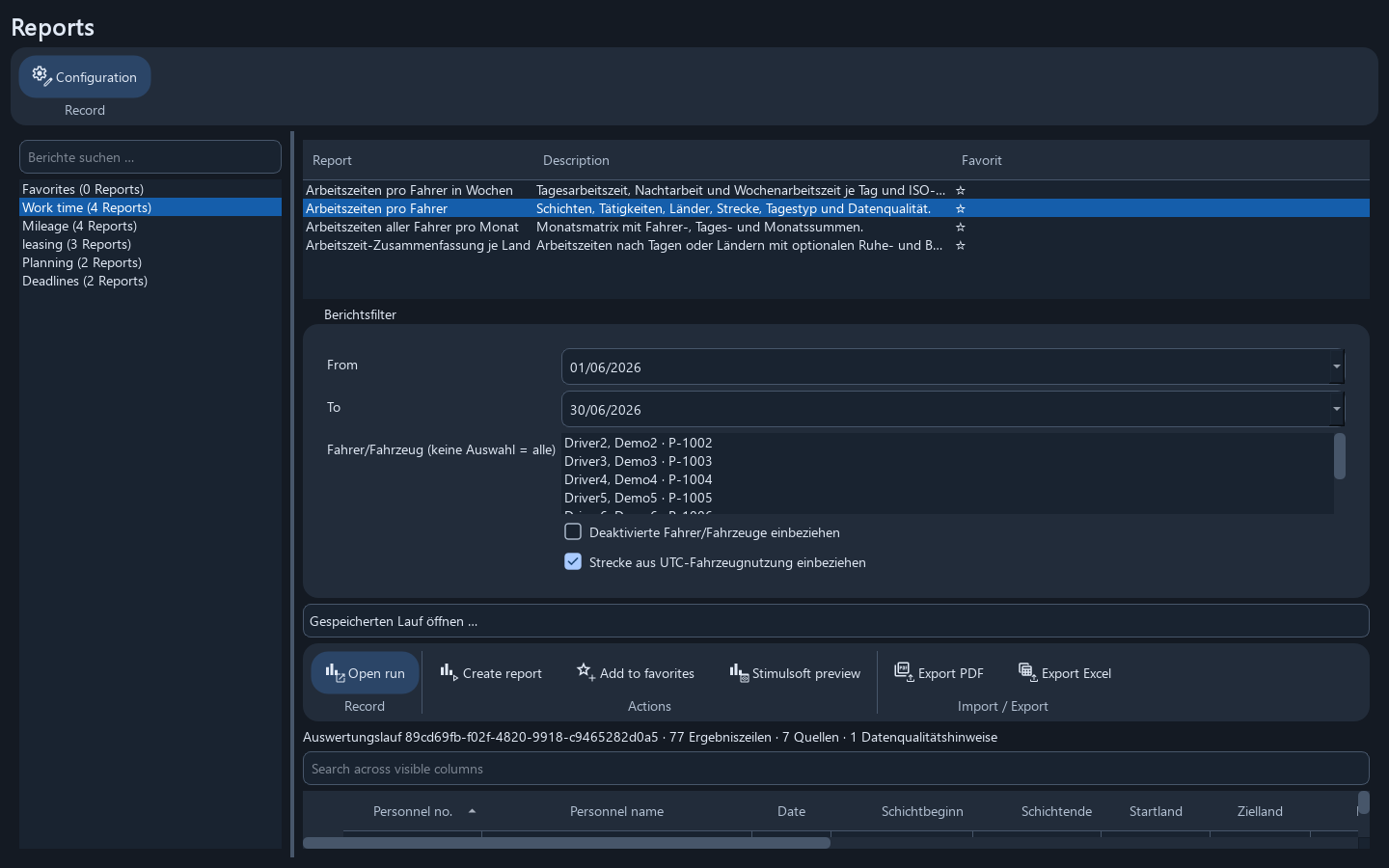
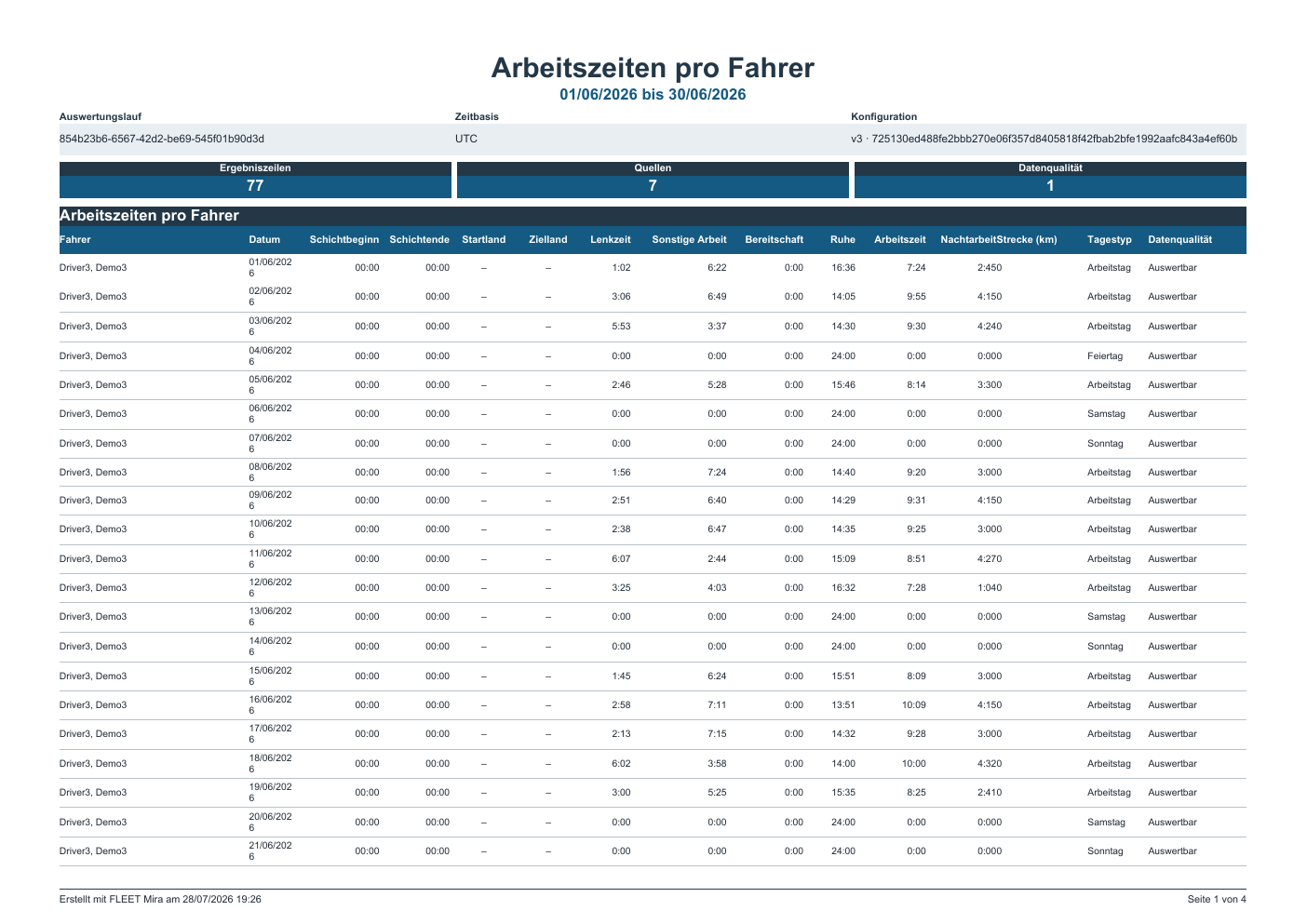
Working times by driver
Purpose: Combines shifts, activities, countries, distance, day type and data quality for each driver. Use it for operational working-time review and investigation of individual days.
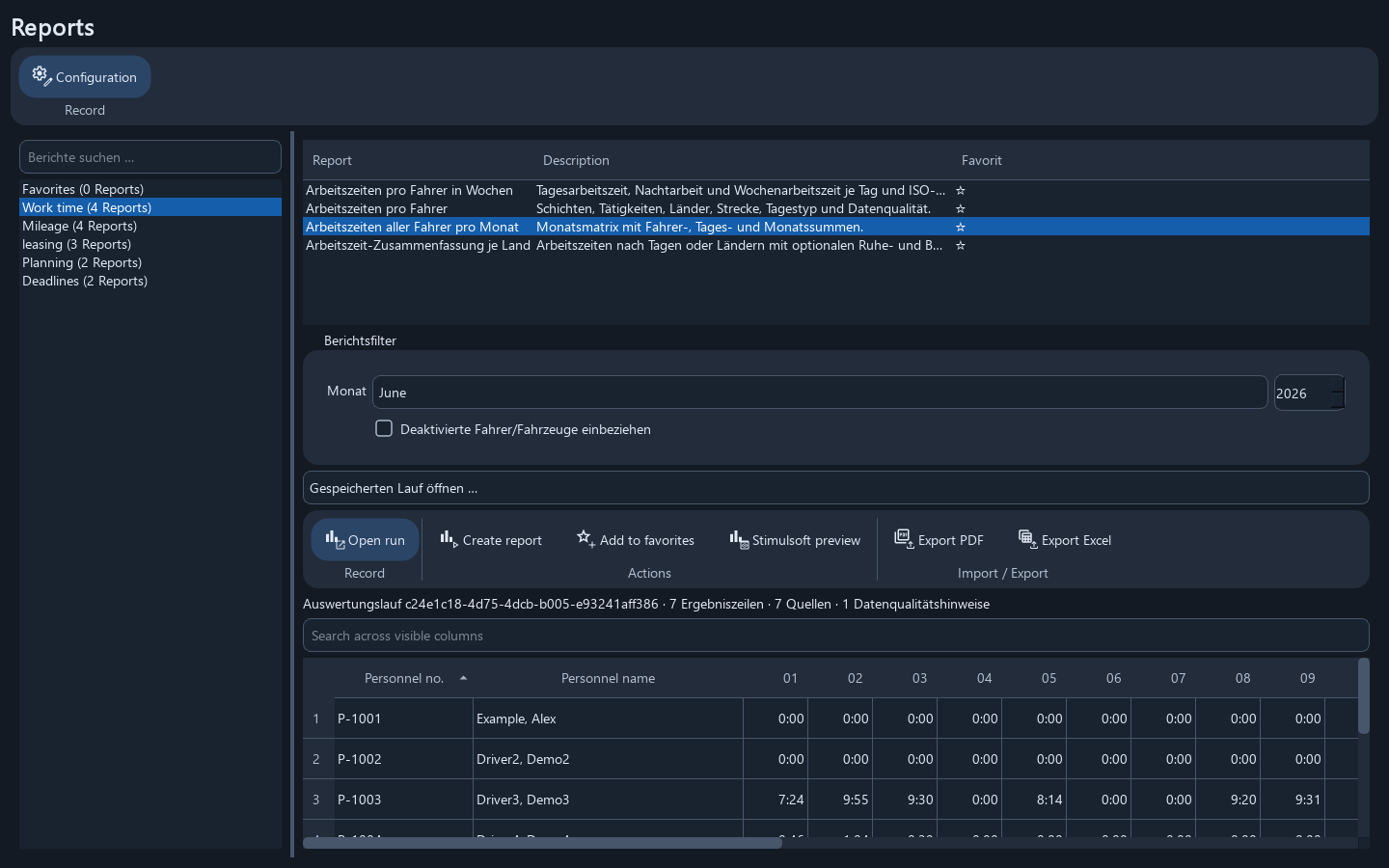
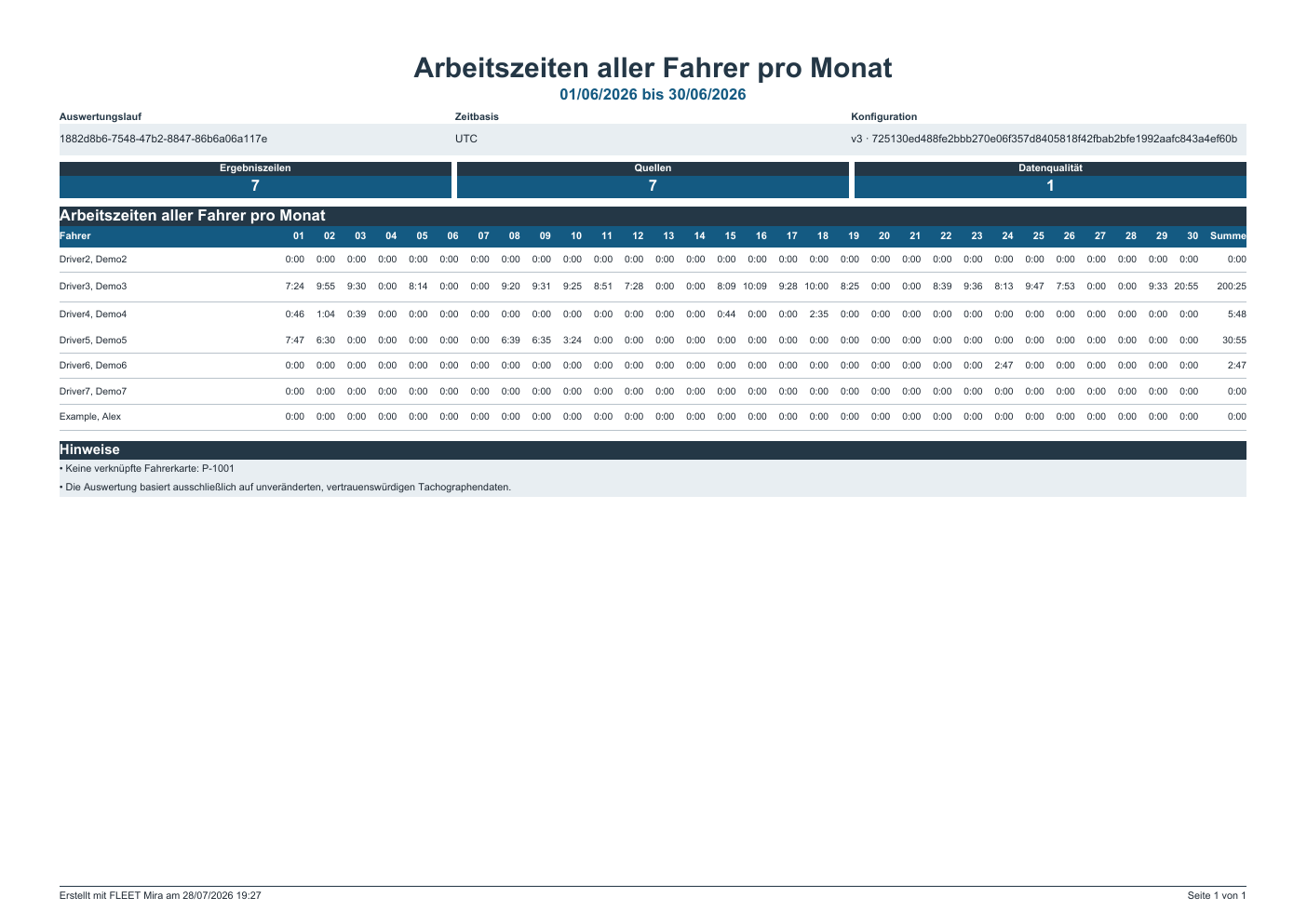
Monthly working times for all drivers
Purpose: Places all drivers in one matrix with daily and monthly totals. It makes workload, missing values and monthly differences easy to compare.
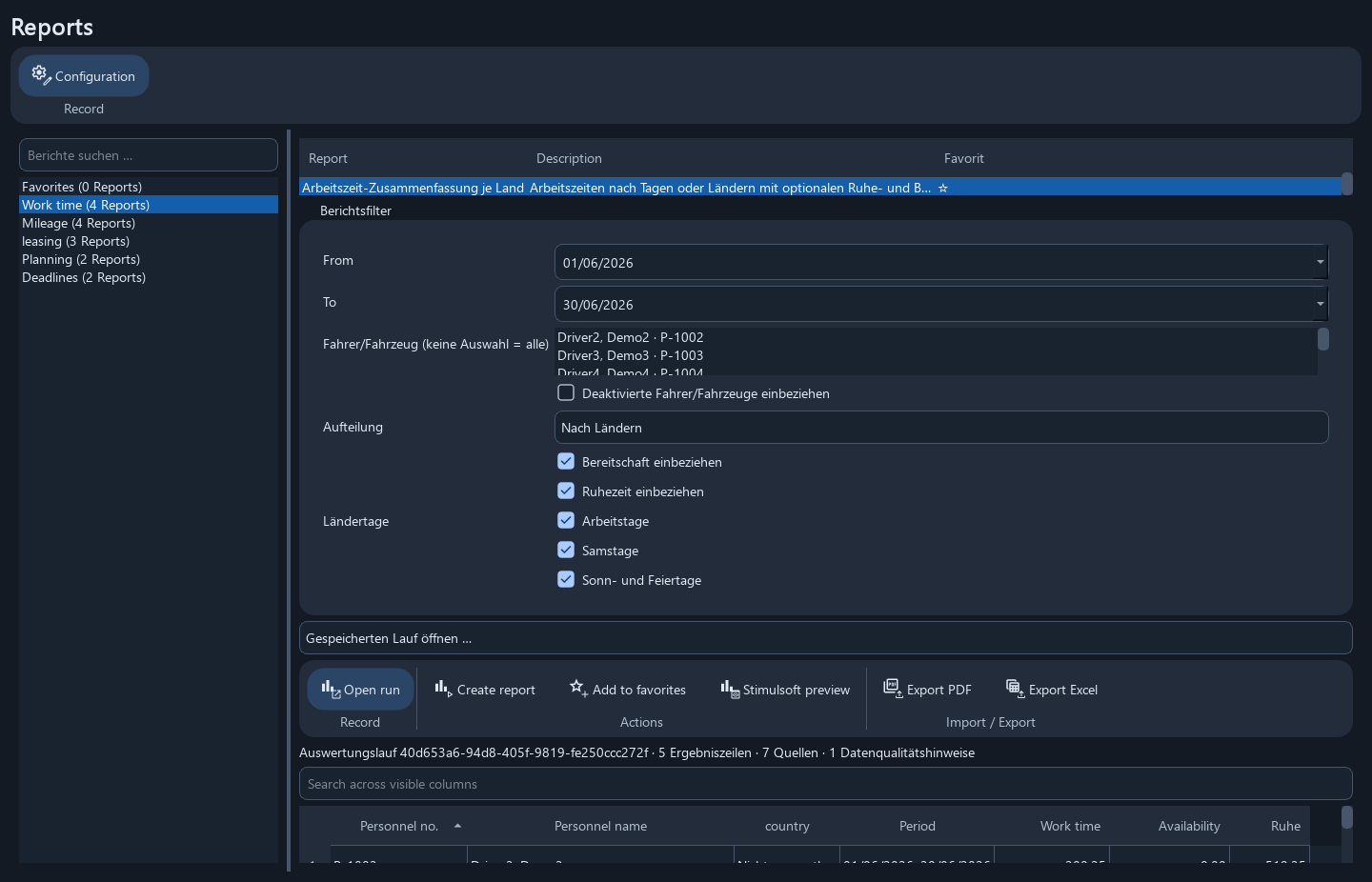
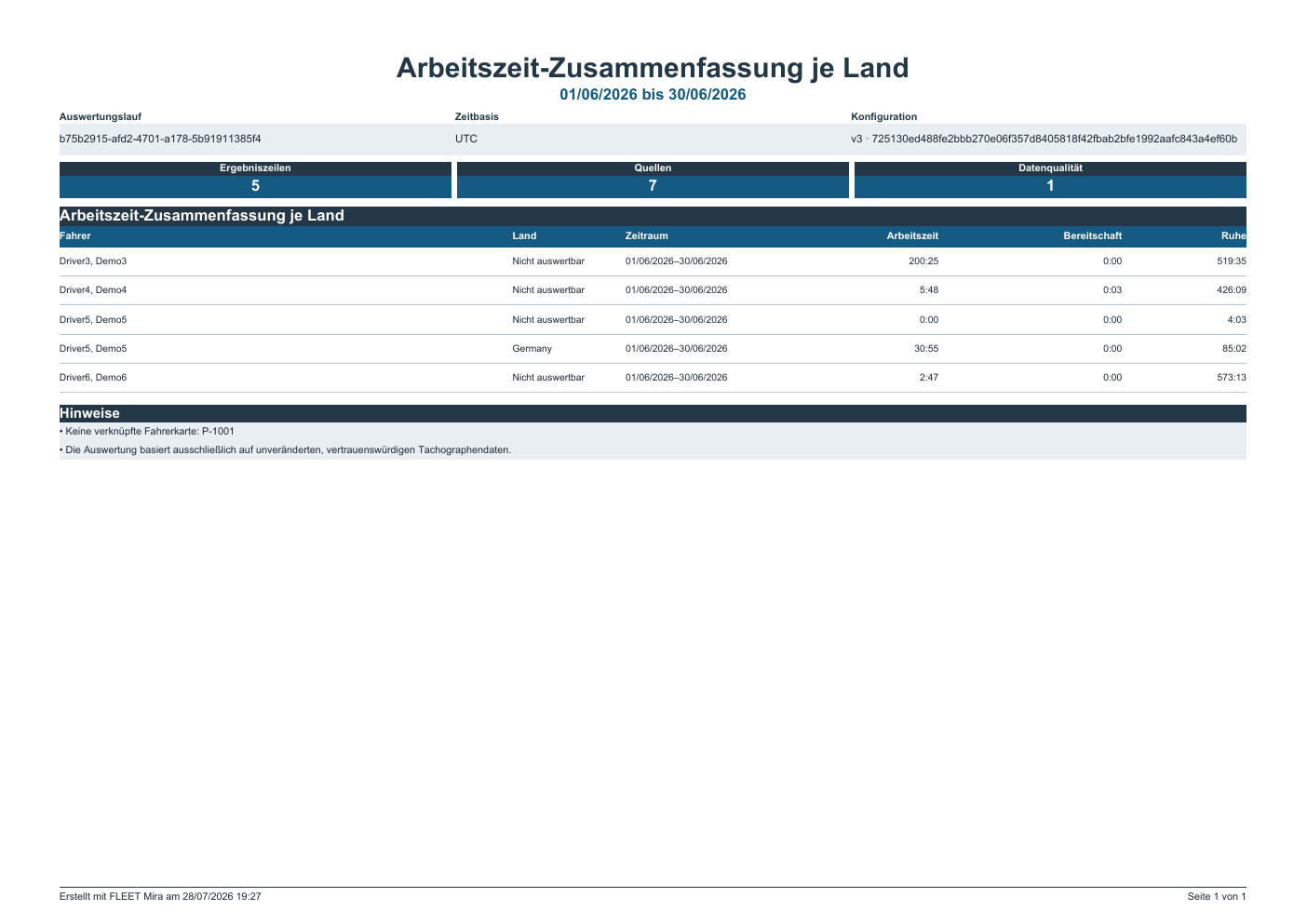
Working-time summary by country
Purpose: Assigns working time to countries or individual days. Rest and availability can be included for cross-border deployment and remuneration checks.
Mileage reports
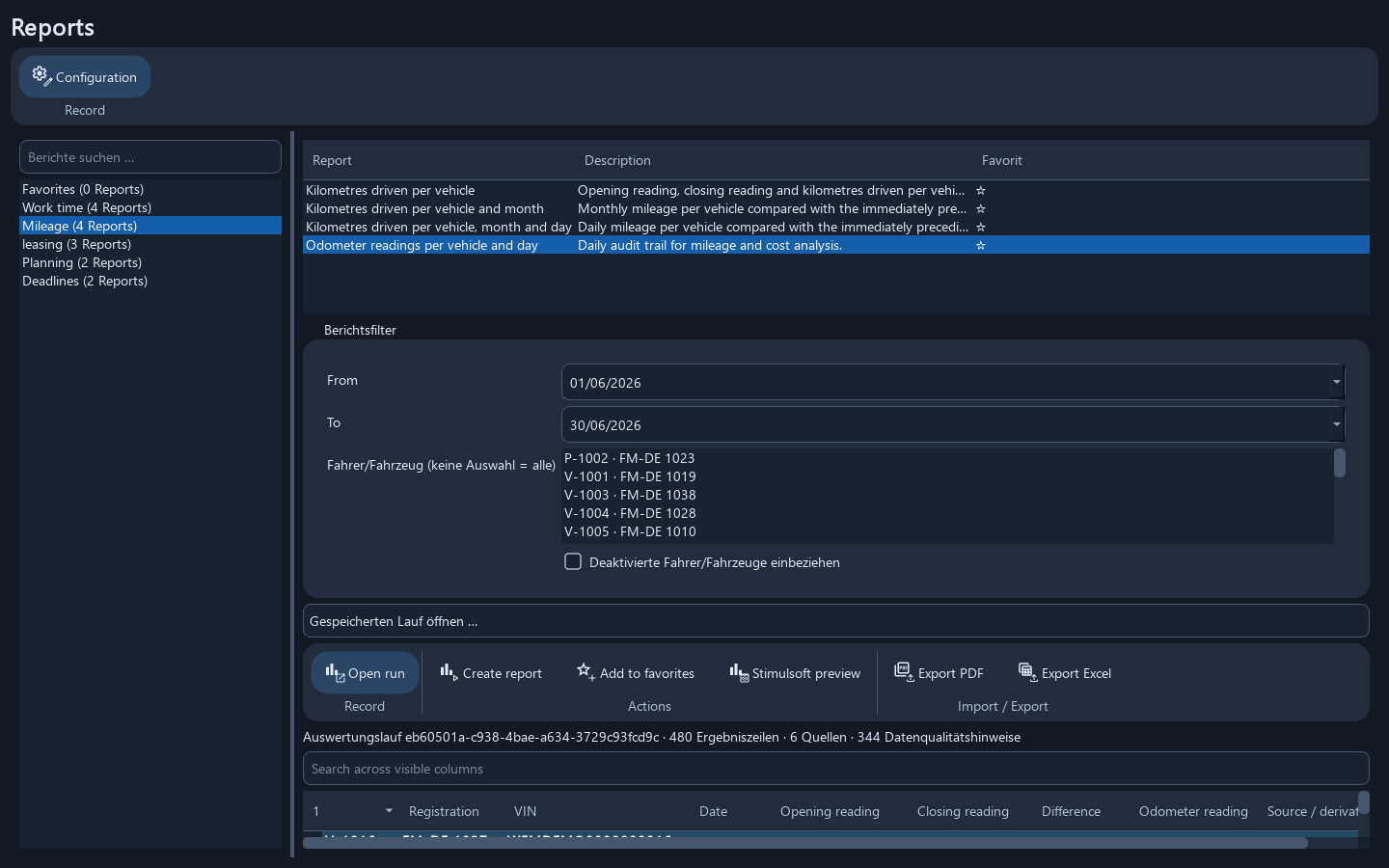
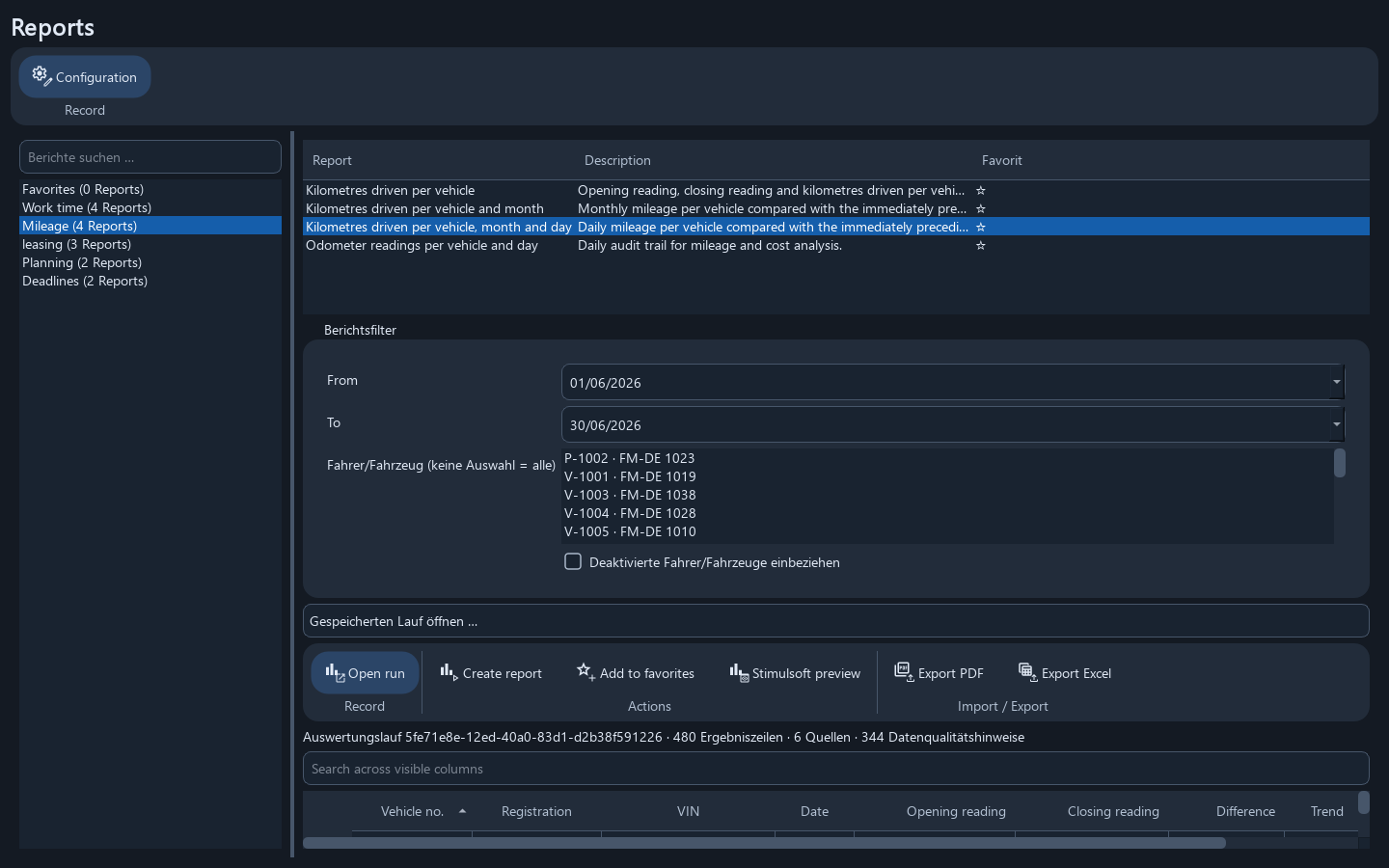
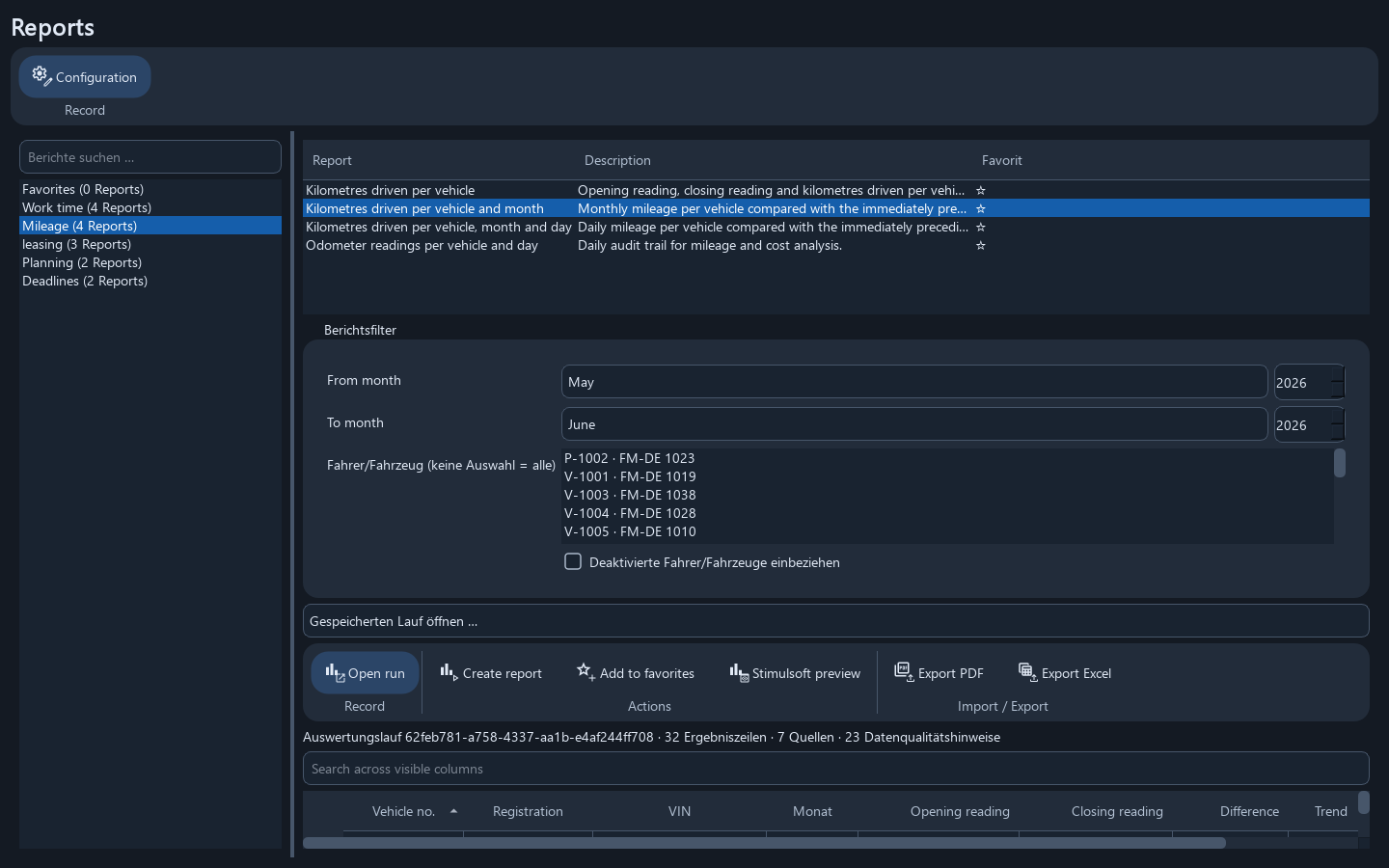
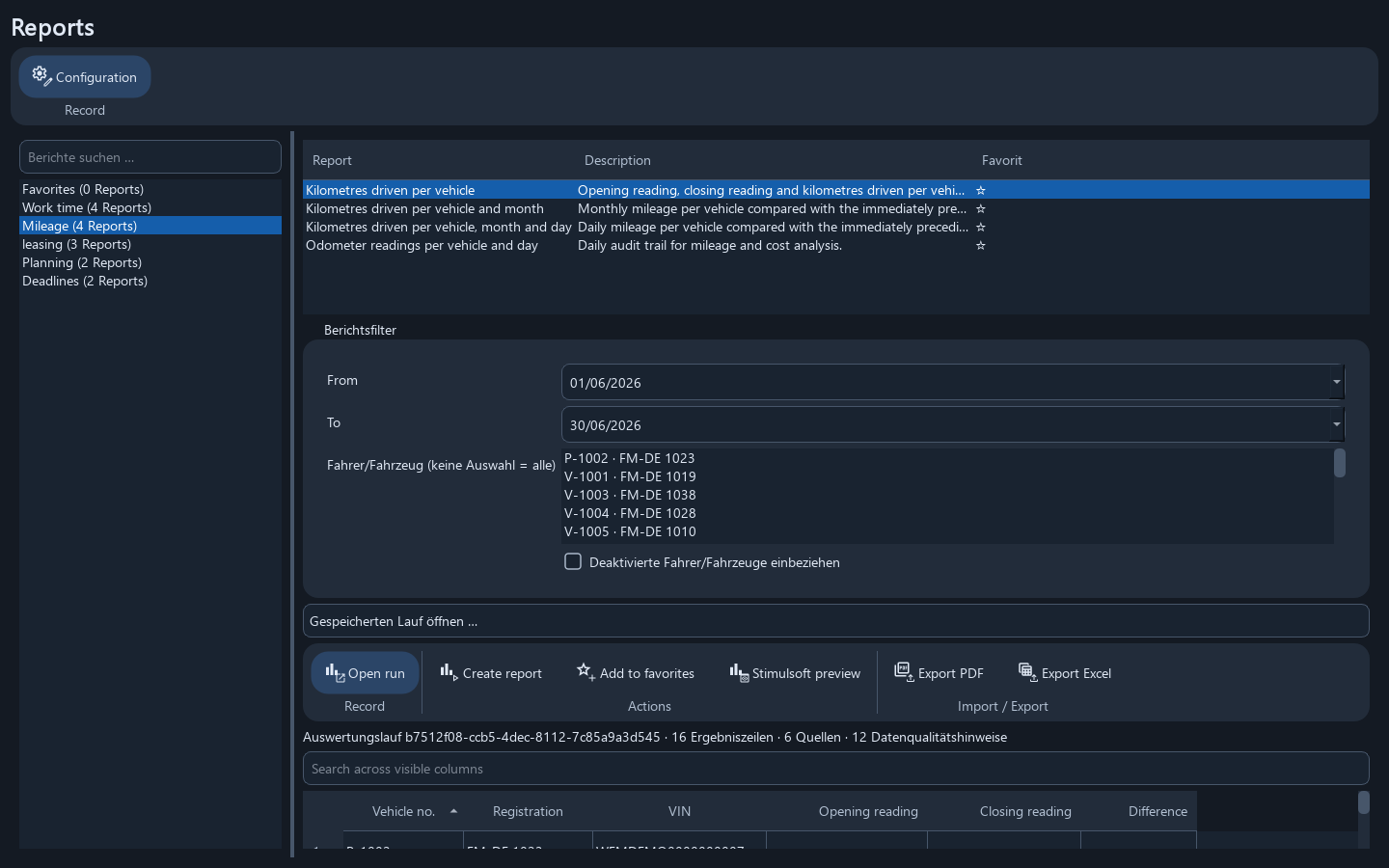
The Mileage group contains reports by vehicle, by vehicle and month, by vehicle, month and day, and the Odometer readings per vehicle and day audit report. Filters select vehicles and a date range or from/to month. With no vehicle selected, all active vehicles are included.
Every new mileage and cost run uses the shared OdometerBoundaryResolver exclusively, with the priority M-file midnight → telematics sensor → C-file vehicle use → C-file place → C-file three-hour GNSS → telematics GPS. Only VALID and WARNING readings are eligible. Manual, unverified, unknown and conflicting values are excluded. Opening and closing readings are rounded to whole kilometres first; the displayed difference is then always exactly closing minus opening.
Qualified GPS-server values are stored as daily odometer readings independently of the 28-day position-detail retention. If a closed period is missing a boundary, administrators can use Administration → Cost analysis → Calculation parameters → Odometer determination to mark it incomplete, interpolate linearly or extrapolate. The default extrapolation is limited to seven days and uses the median of plausible daily distances from 14 days. Estimated opening, closing and difference values carry a warning marker. During the current local day, an available qualified actual reading wins. If none exists and extrapolation is configured, the central resolver estimates up to the current calculation instant. Monthly, overall and cost reports use the same closing boundary. If the opening boundary has no sufficiently recent reading, the central resolver applies the same minimum sample count, estimation basis and maximum gap: it derives the median from the first qualified following days and projects backwards from the first actual reading to the opening boundary.
Monthly and daily reports compare mileage with the immediately preceding calendar month or day for the same vehicle. Red and orange arrows indicate increases, blue marks the neutral range from −5 to +5 per cent, and light-green or green arrows indicate decreases.
Odometer readings per vehicle and day
This report is the detailed audit trail for the other mileage reports and for cost per kilometre. The on-screen view uses a parent/child presentation: each vehicle is a coloured, expandable and collapsible group header. Internal number, registration, VIN, opening reading, closing reading and difference occupy separate sortable columns. The subordinate daily rows use separate columns for date, odometer reading and source or derivation (M file, C file, telematics sensor, telematics GPS, interpolated, extrapolated or incomplete).
For estimates, the tooltip provides the method, measurement time, supporting readings, estimate distance and algorithm version. The UI, Stimulsoft/PDF and Excel share the same vehicle groups; Excel merges the group header row. Runs above 20,000 daily detail rows are rejected and require a shorter period or fewer vehicles. Existing stored report runs are not modified by the new odometer-boundary-v2 algorithm version.
Planning reports
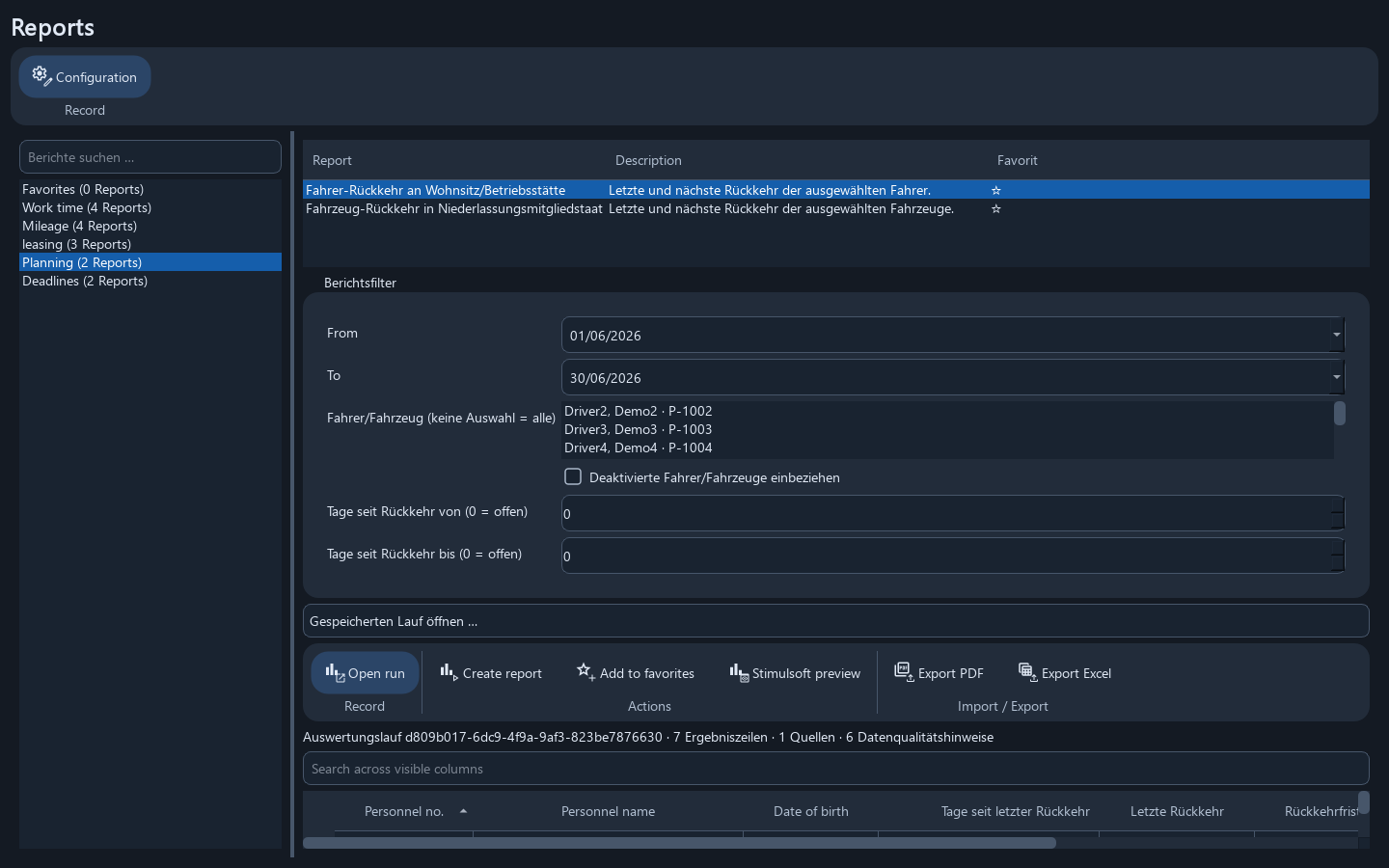
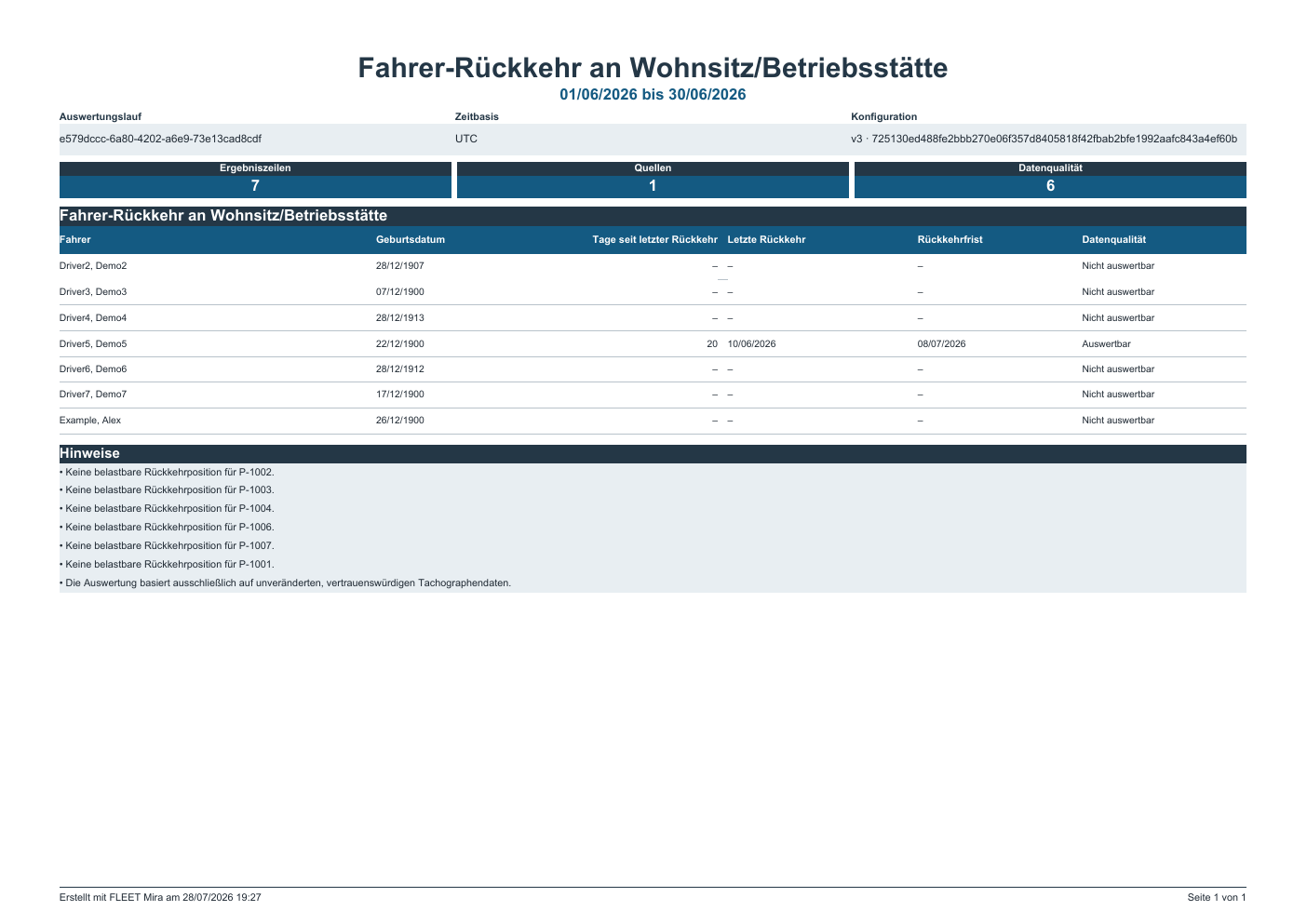
Driver return to home/base
Purpose: Shows the last detected and next due return for selected drivers. Dispatchers and compliance staff can identify open planning needs before the deadline.
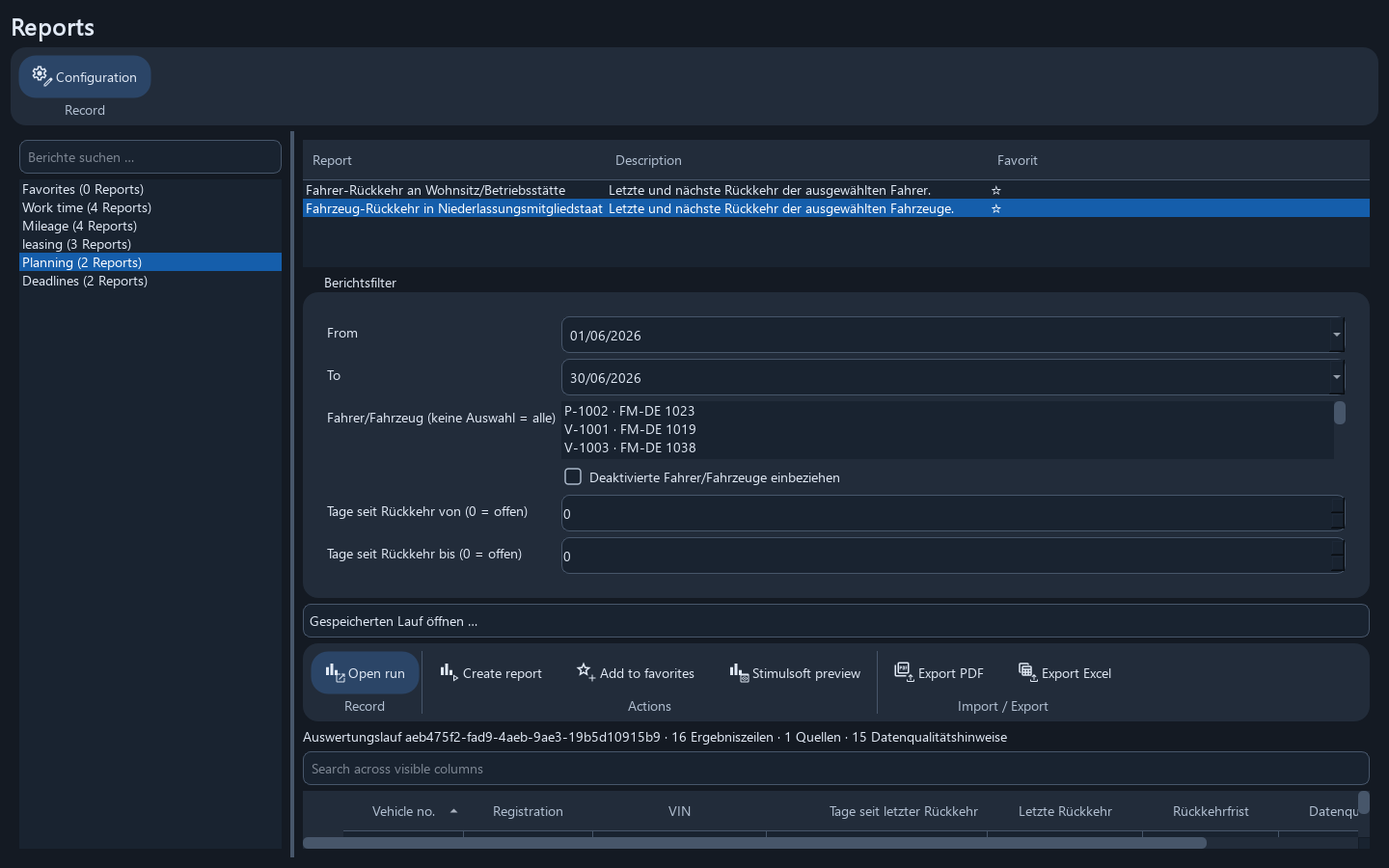
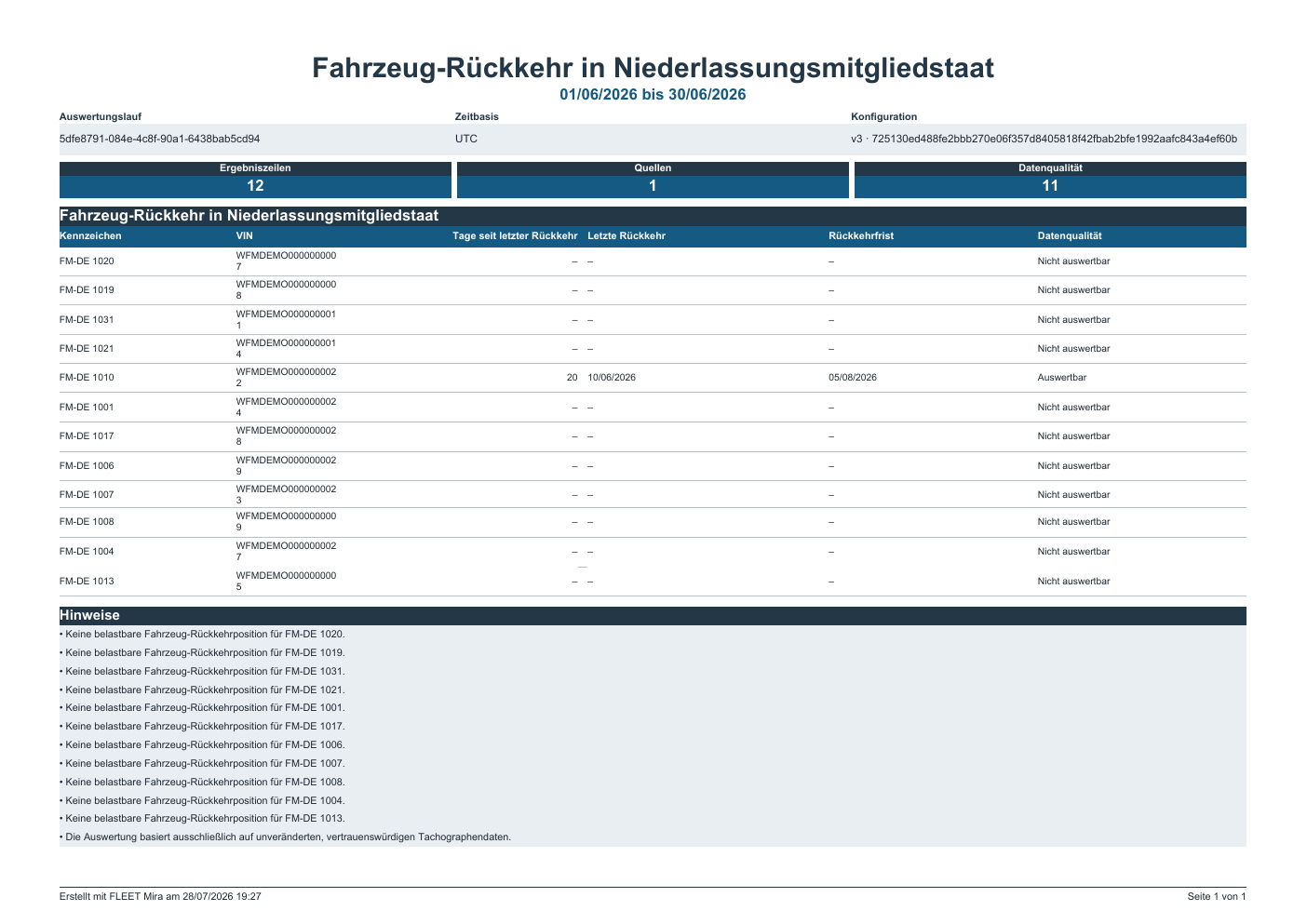
Vehicle return to the Member State of establishment
Purpose: Shows each vehicle's last return, return interval and next date. It supports fleet planning and evidence of regular return.
Deadline reports
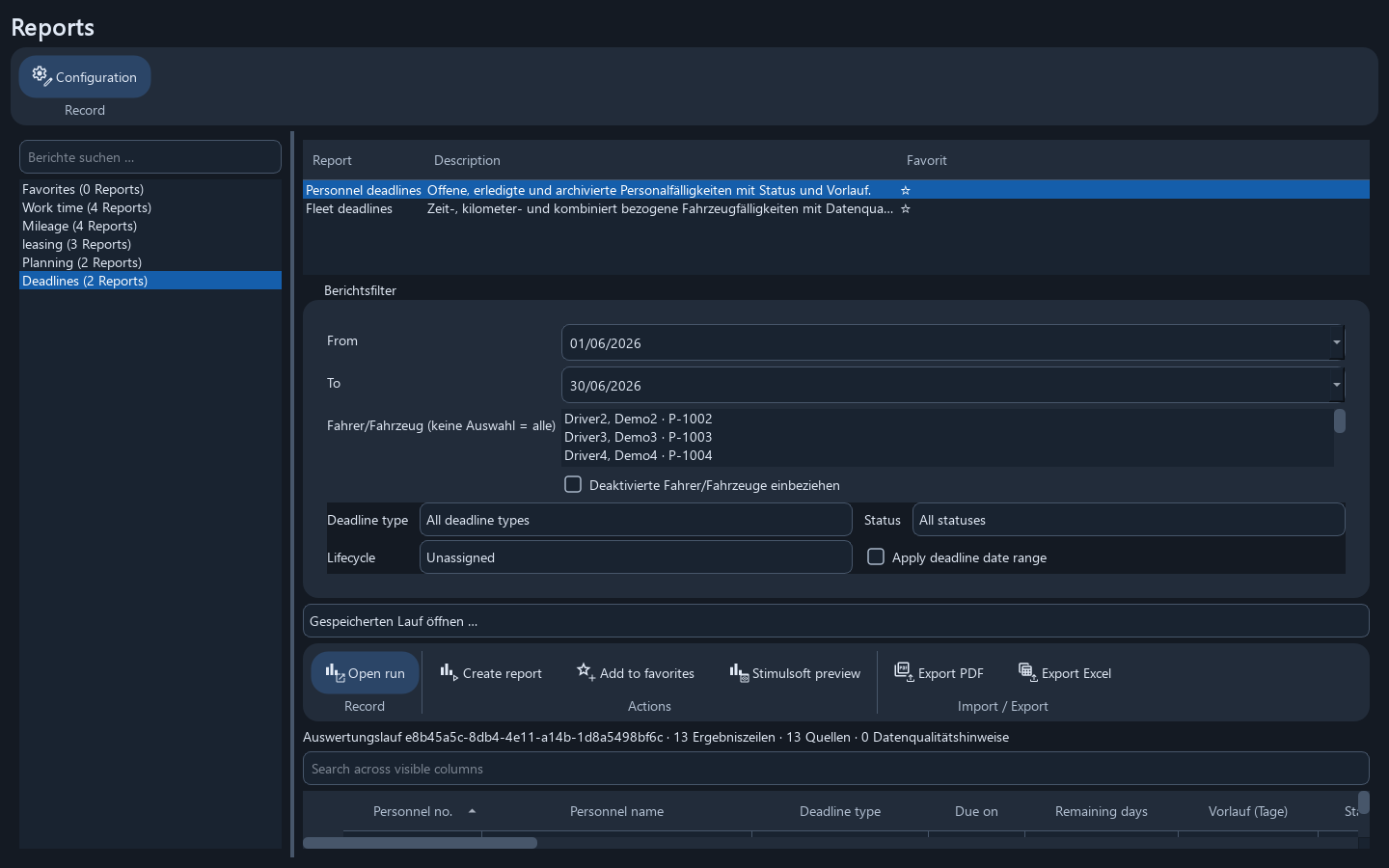
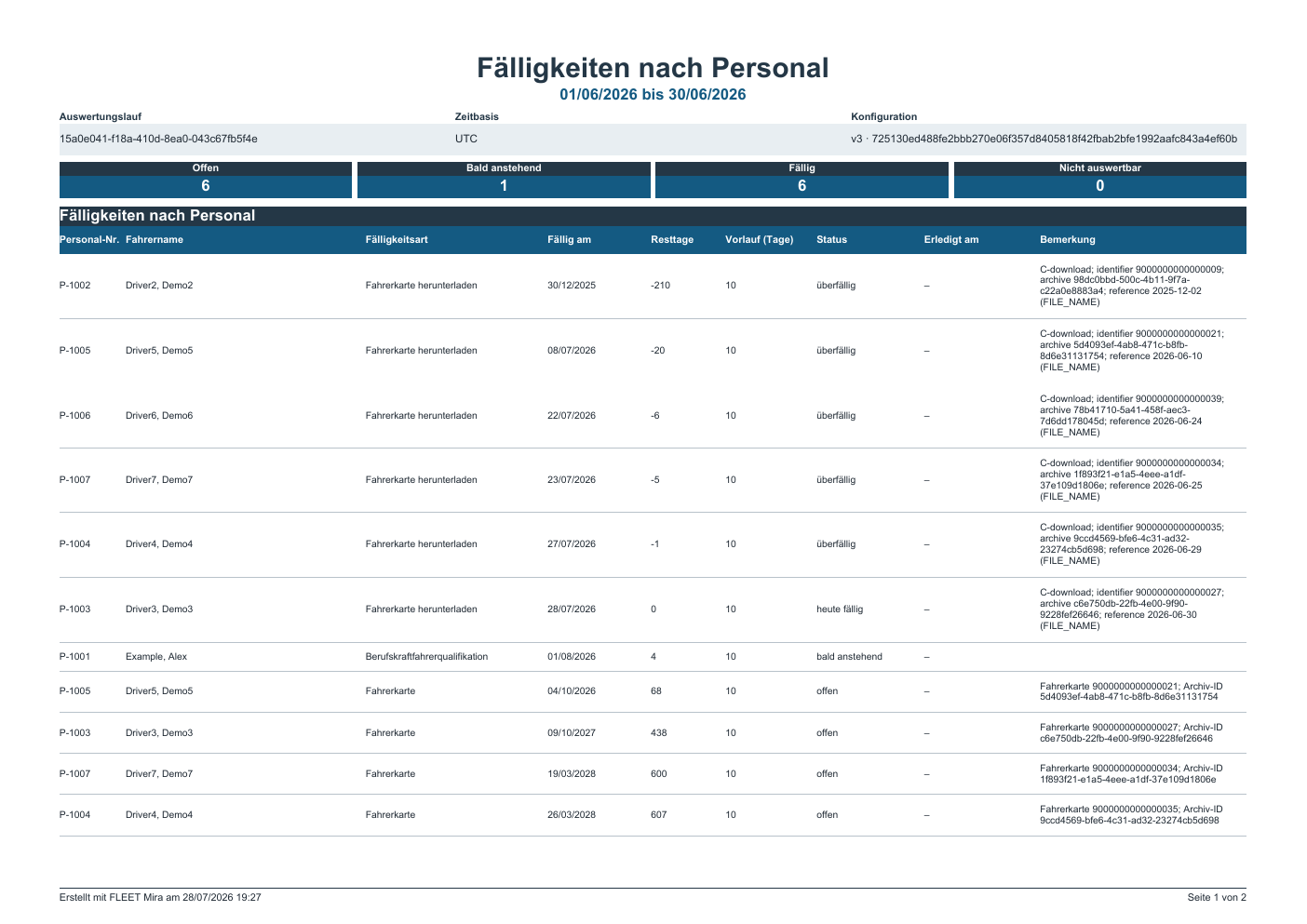
Personnel deadlines
Purpose: Combines personnel number, driver, due type, due date, remaining days, lead time, status and notes. It is the working list for driver cards, driving licences and other personnel evidence.
Fleet deadlines
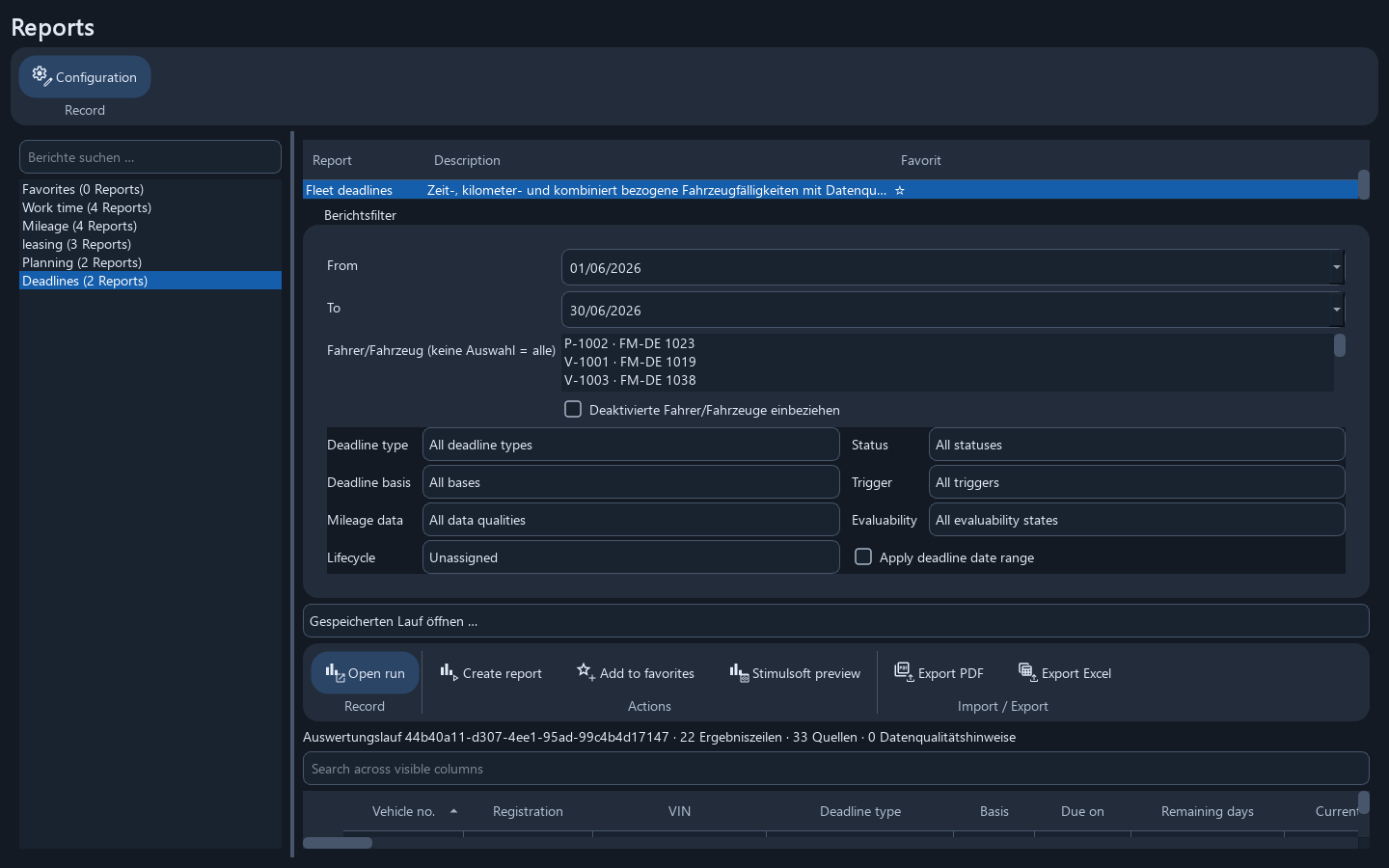
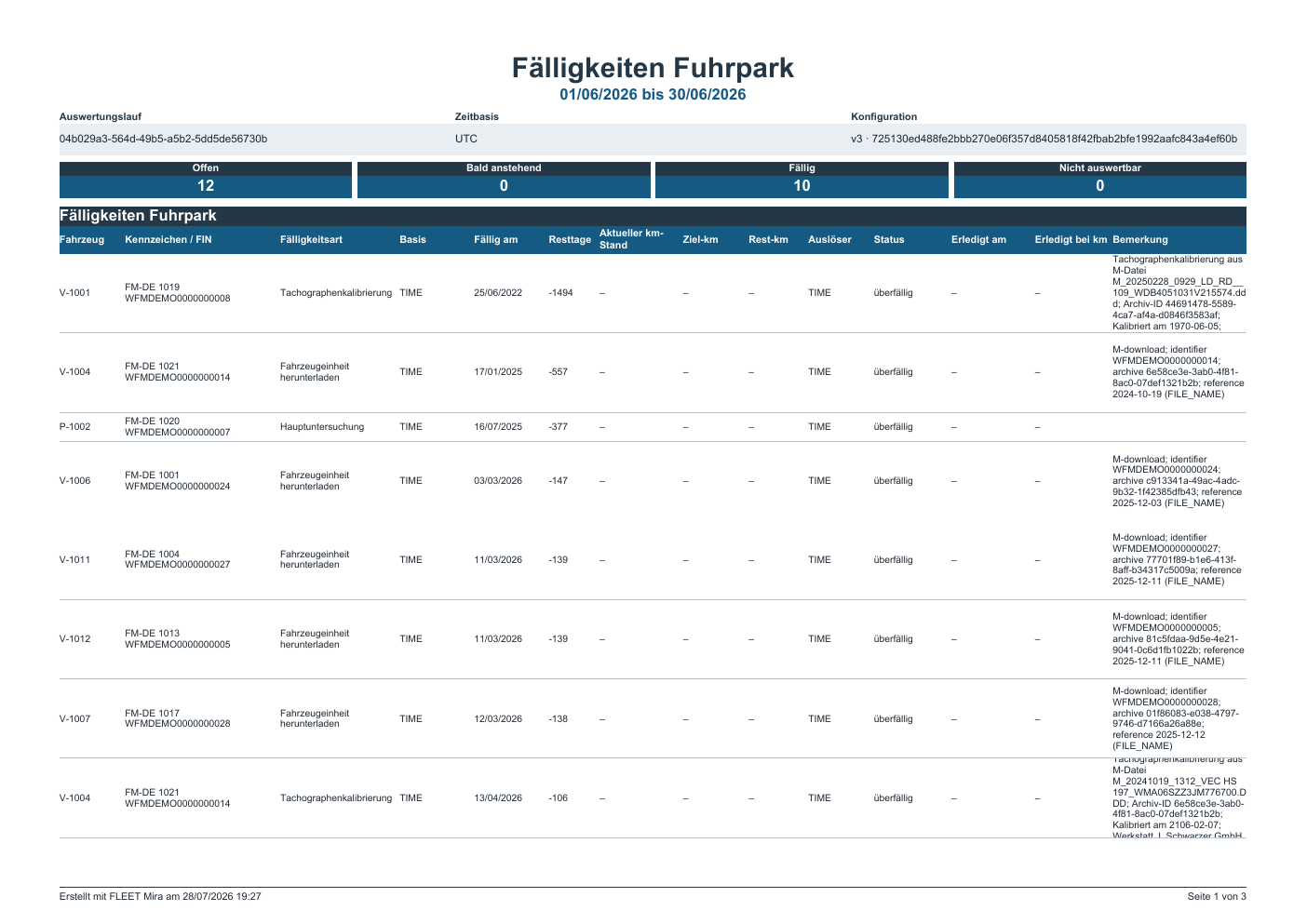
Purpose: Combines time-based, mileage-based and earliest-of-both deadlines with current mileage, trigger, data quality and evaluability. It shows which vehicles require action because of date or mileage.
Leasing reports
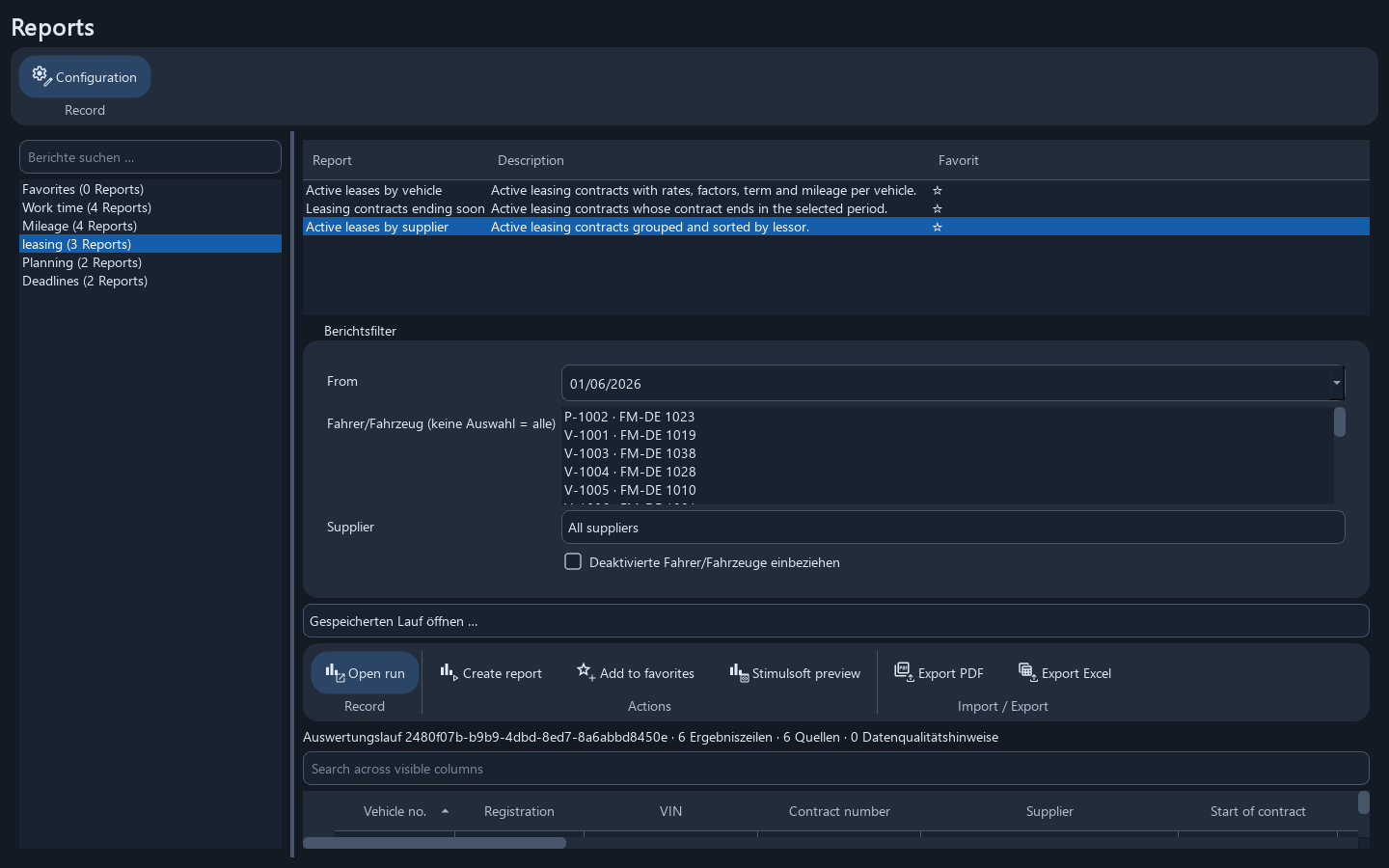
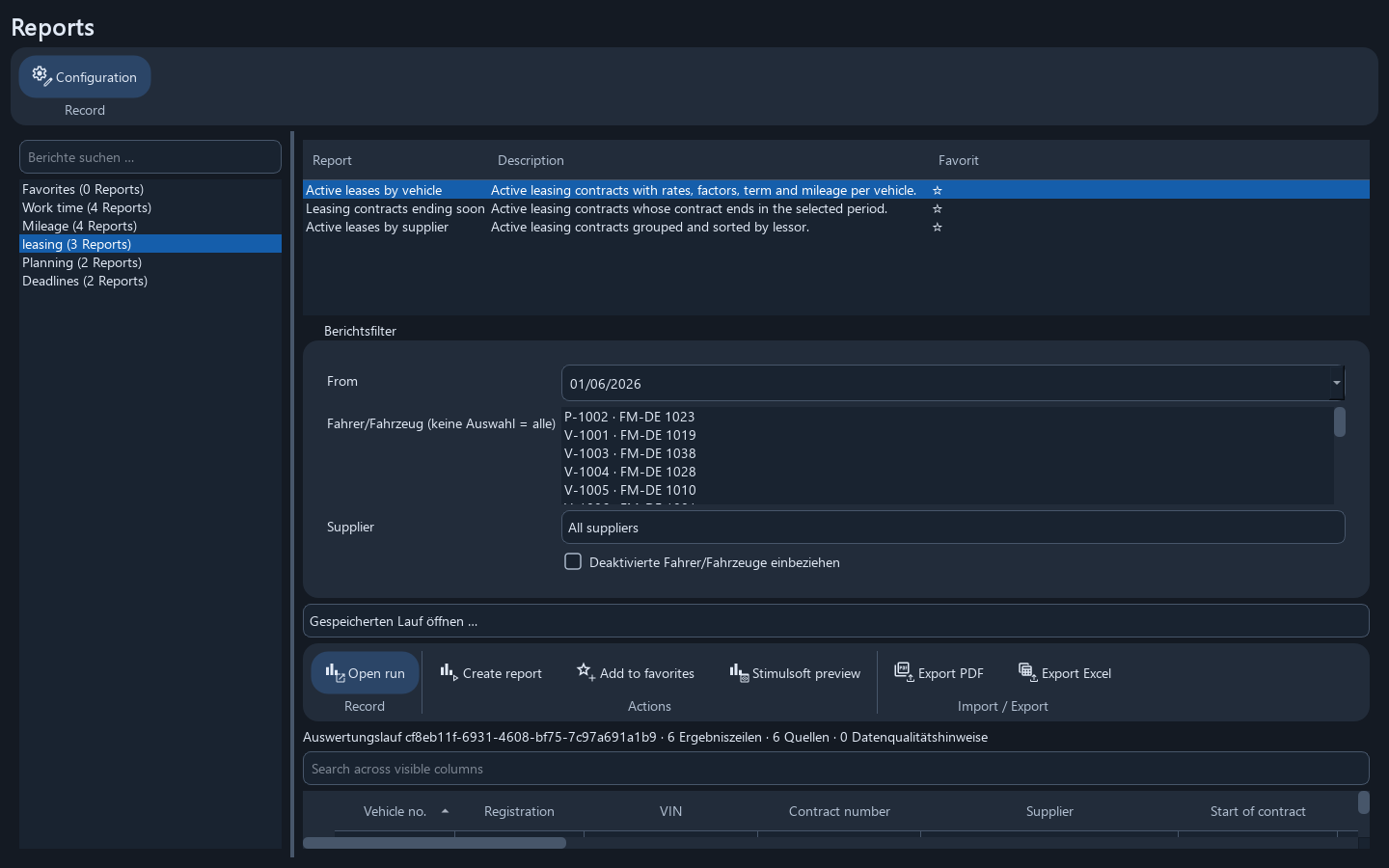
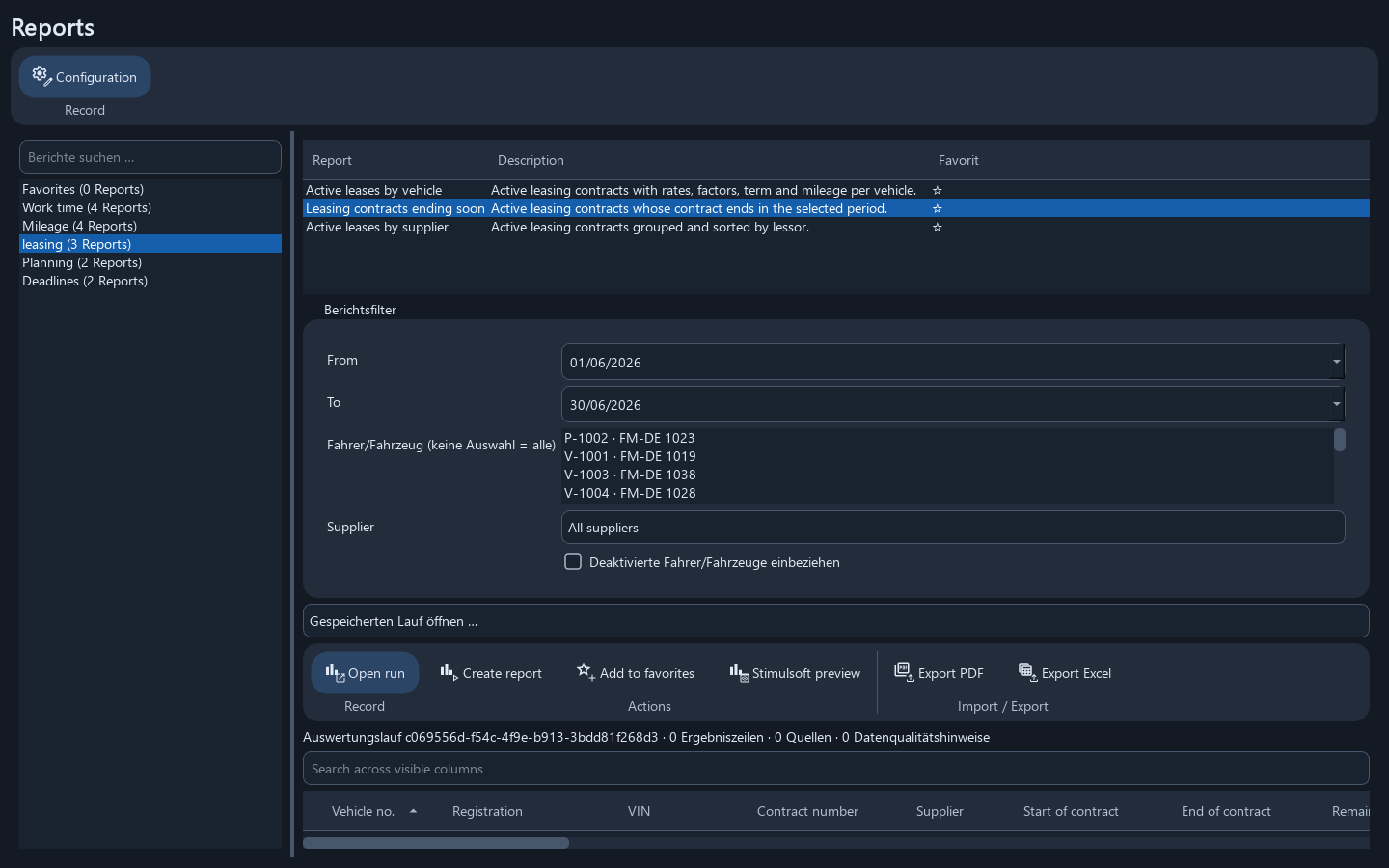
Active lease contracts by vehicle and Active lease contracts by supplier use an as-of date. Lease contracts ending soon uses a freely selected contract-end range. An optional supplier filter narrows all three reports. The result includes vehicle identity, contract, supplier, term and remaining days, contract mileage, actual rate, target, actual and effective factors, all-in rate and total contract cost.
Create and output a report
Print layouts are tailored to the report's purpose: driver working-time and planning detail tables omit the Data quality column, while the driver working-time report prints each date completely on one line. The vehicle/day mileage report structures details hierarchically by Vehicle and Month; the daily odometer audit report visually separates Odometer from Source / derivation while retaining a continuous row background. Leasing lists use two-line records for contract/supplier and registration/VIN information, and the supplier report additionally groups by supplier. The violation dashboard prints Duration / deviation as a compact two-line heading.
- Open Fleet → Report dashboard 💎.
- Select Favourites, Working time, Mileage, Leasing, Planning or Deadlines, then choose a report.
- Set the report-specific filters that appear. No object selection means all permitted drivers or vehicles.
- Choose Create report.
- Open the run in Stimulsoft preview or export PDF or Excel.
The result view explains the calculation and time basis. Every master-data-related grid starts consistently with Vehicle no., Registration and VIN, or Personnel no. and Personnel name (last name, first name). Mixed deadline grids expose all five columns and leave non-applicable values empty. Global search covers every visible column, while headers sort by canonical raw values. Historic runs are normalized for presentation only; a personnel number that was not stored at the time remains empty. The stored source data is unchanged.
The 20 bundled Stimulsoft system reports use the same identity columns. Custom templates are not overwritten and receive the new canonical fields in addition to the existing compatibility fields.
Deadline reports can be filtered by period, object, due type, status and lifecycle. The fleet report additionally filters by basis, trigger, mileage data quality and evaluability. The deadline-specific selectors use a space-saving two-column layout; the compact object list still supports selecting multiple drivers or vehicles. If the period is not enabled, mileage-only deadlines without a date remain included.
Working time includes driving and other work. Availability and rest are included only in reports that expose the respective filter. Night work is calculated against the configured window and the time zone stored with the run. Daylight-saving transitions do not alter elapsed activity durations.
Dashboard access, configuration changes, start, completion, cancellation, failure, opening a stored run and export are audited. Entry requires reporting.dashboard.read; output and configuration may be restricted separately.
Additional vehicle and leasing reports
Active leases by supplier
Active leases by vehicle
Daily odometer by vehicle
Leases ending soon
Mileage by vehicle and day
Mileage by vehicle and month
Mileage by vehicle
Language of some beta dialogs
Some older labels remain German in the English profile. The current Material 3 captures show the actual beta interface without retouching.