Violation dashboard and driver instructions
The Violation dashboard 💎 consolidates technical compliance findings into a period-based work list. It does not replace an authority or legal assessment. The screen and report previews come from an anonymised copy of the demo database; driver identities were replaced while activity and finding data were retained.
Dashboard screen
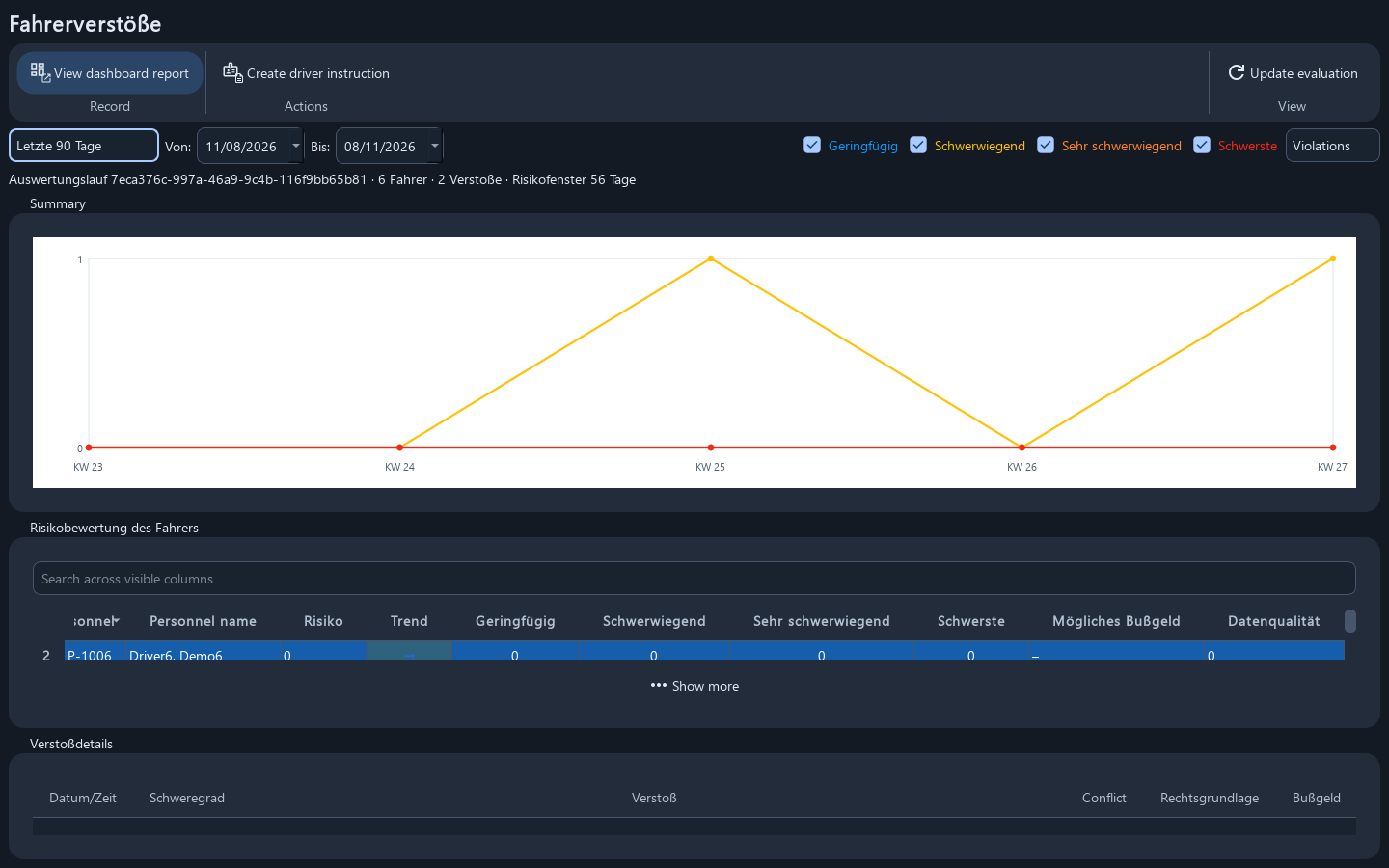 Figure: Period and severity filters, weekly trend, driver risk and findings for the selected person.
The screen has four working areas:
- Filters and actions select the period, visible severities and metric and start the evaluation, dashboard report or driver instruction.
- Summary shows the development of findings by calendar week.
- Driver risk assessment shows score, trend, count by severity, possible indicative amount and data quality.
- Violation details explain timestamp, severity, deviation, legal basis and possible amount for the selected person.
Create an evaluation
- Open Fleet → Violation dashboard 💎.
- Select 90 days, 56 days, the current calendar year or a custom period.
- Enable the required severities and select Refresh evaluation.
- Select a driver to inspect that person's findings in the lower area.
The run stores its period, rulebooks, algorithm version, time basis, filters, sources and checksums. Failed or cancelled runs are audited as well.
Tachograph values are evaluated in UTC by default. When local activity time is enabled under System → Settings, the dashboard uses the selected IANA time zone for day and week boundaries. Daylight-saving transitions change neither source values nor elapsed durations.
Stimulsoft dashboard report
Purpose: Provides the period, rulebooks, risk assessment for all affected drivers, violation details and data quality as a printable record. Possible fines are explicitly presented as non-binding indicative values.
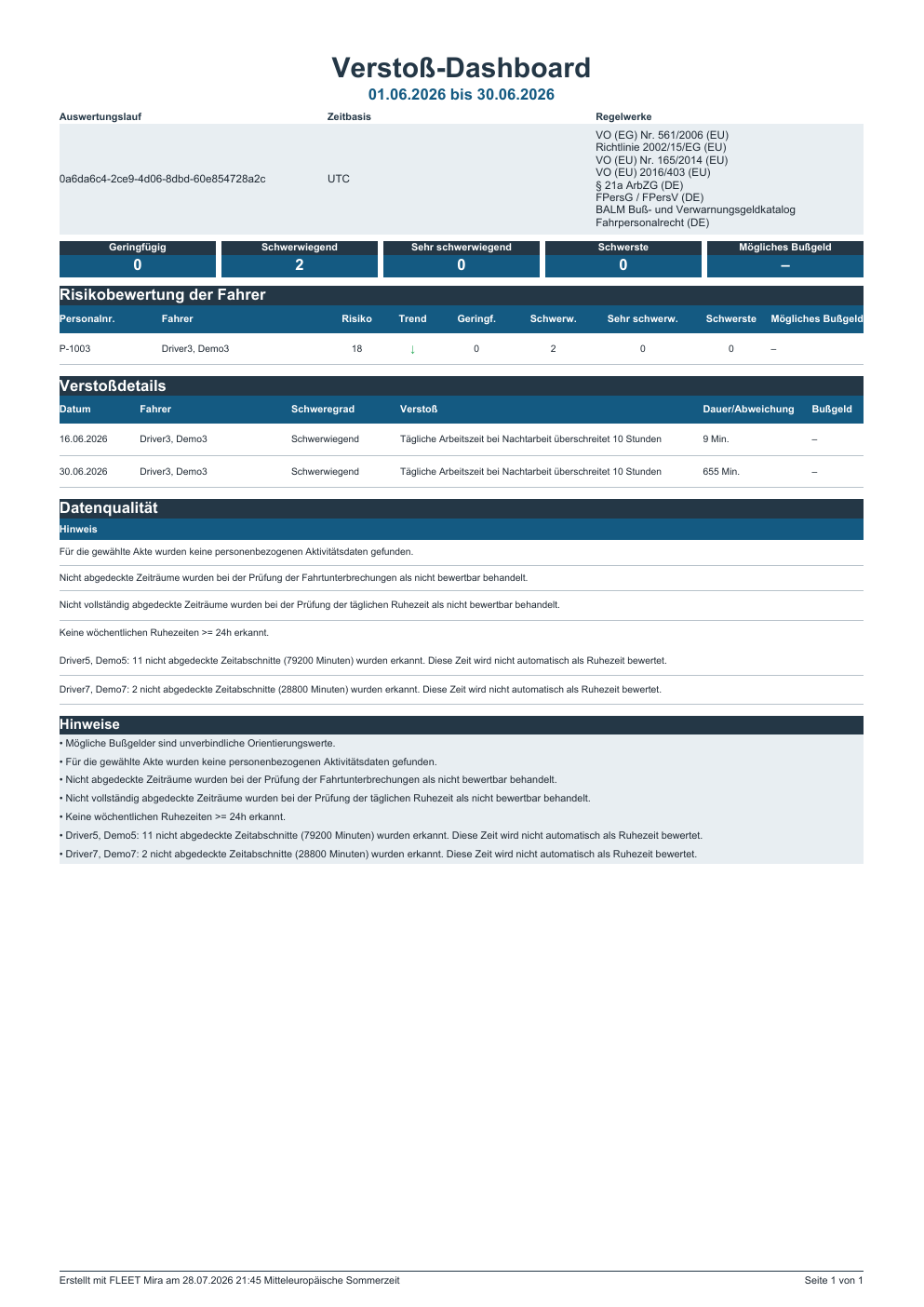
Open the violation-dashboard PDF example
Show dashboard report opens this output with the current filters, risk values and trends. It requires compliance export permission and both the Violation dashboard and Stimulsoft Pro features.
Stimulsoft driver instruction
Purpose: Brings together the findings to discuss, legal bases, deviations and open personnel deadlines for exactly one driver. Signature fields support a documented instruction record.
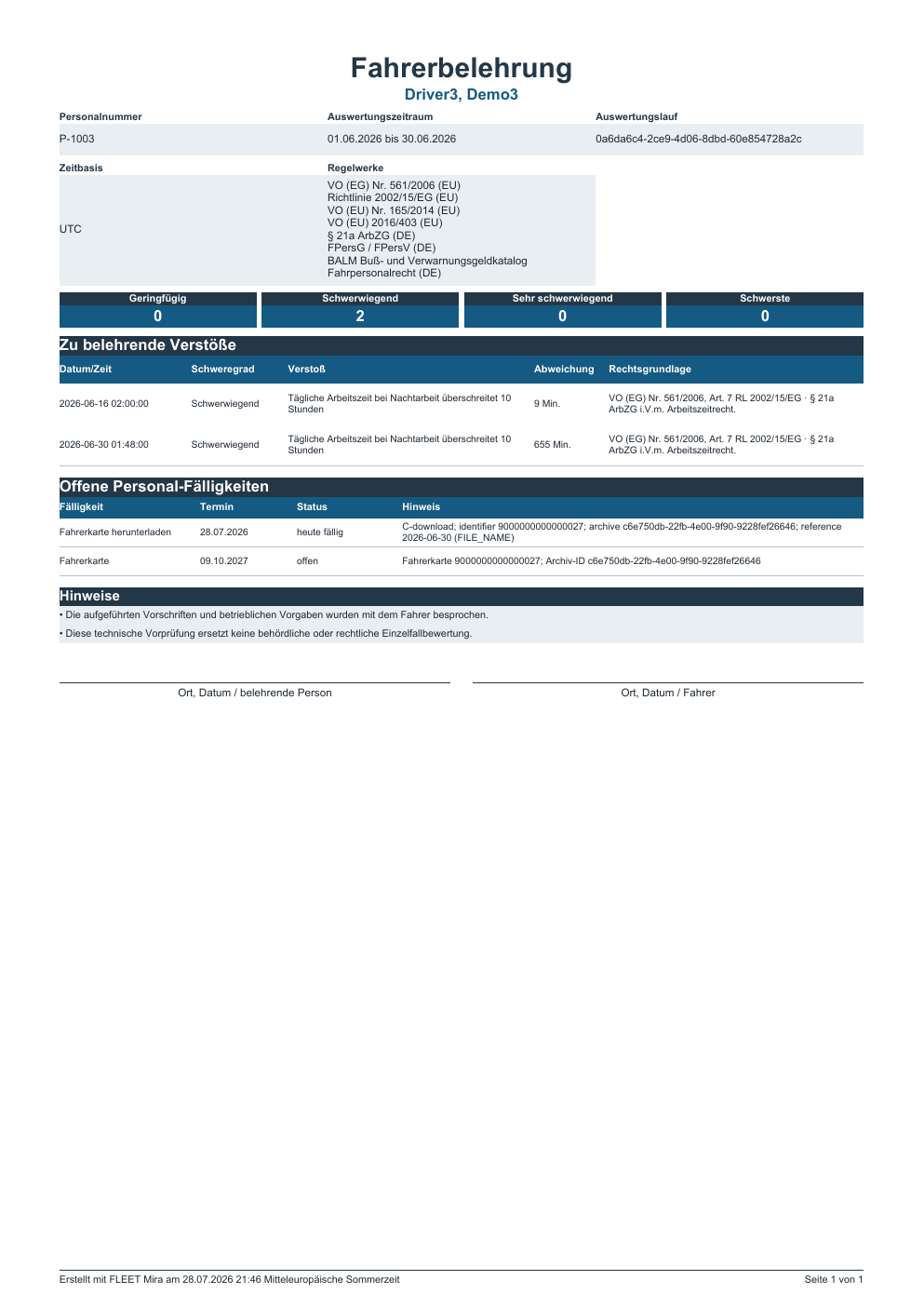
Open the driver-instruction PDF example
- Select exactly one person with findings.
- Choose Create driver instruction.
- Review the generated PDF and confirm the print status after printing.
The PDF, checksum, person, findings and creation timestamp are stored as tamper-evident evidence. Findings that have already been delivered are not sent again as new findings in a later instruction. A matching notification rule can deliver each instruction exactly once with its PDF attachment.
Read access, report export and driver-instruction management use separate permissions. Opening, evaluating, exporting, creating and confirming print status produce audit events. Structured details are available as a tree, JSON export and printable output under Administration → Audit.