Enterprise backup and restore
Two different backup responsibilities
| Scope | Contents | Purpose |
|---|---|---|
| Tenant backup | PostgreSQL customer database, manifest and bound DDD, finance and record archives | Controlled restore of one specific customer |
| Platform protection | Control database, all customer backups, role/configuration mapping, protected keys, certificates and service configuration | Rebuild the entire platform after server loss |
A tenant backup does not replace control-database backup. A SQL dump alone does not contain all original files or machine-bound secrets. Conversely, a file copy does not replace a consistent PostgreSQL backup.
Enterprise uses PostgreSQL exclusively. The client configures backups and enqueues requests; FleetMiraWorker performs backup, upload, verification, retention and restore. No local SQLite snapshot service is started.
Configure tenant backup
- Open the correct customer and verify its identity.
- Open Administration → Backups. With appropriate backup privileges, select a filesystem/UNC, HTTPS WebDAV or Google Drive destination according to approved configuration.
- Use a dedicated destination/object directory for the encryption key. Do not overwrite existing directories with a new key.
- Export the recovery key during setup and store it separately offline. Losing the key can prevent recovery.
- Run upload/read-back tests, request a manual backup and verify its completion.
- Set schedule and retention for your recovery objectives. Defaults are daily at 02:00 server time and 14 daily, 8 weekly and 12 monthly copies.
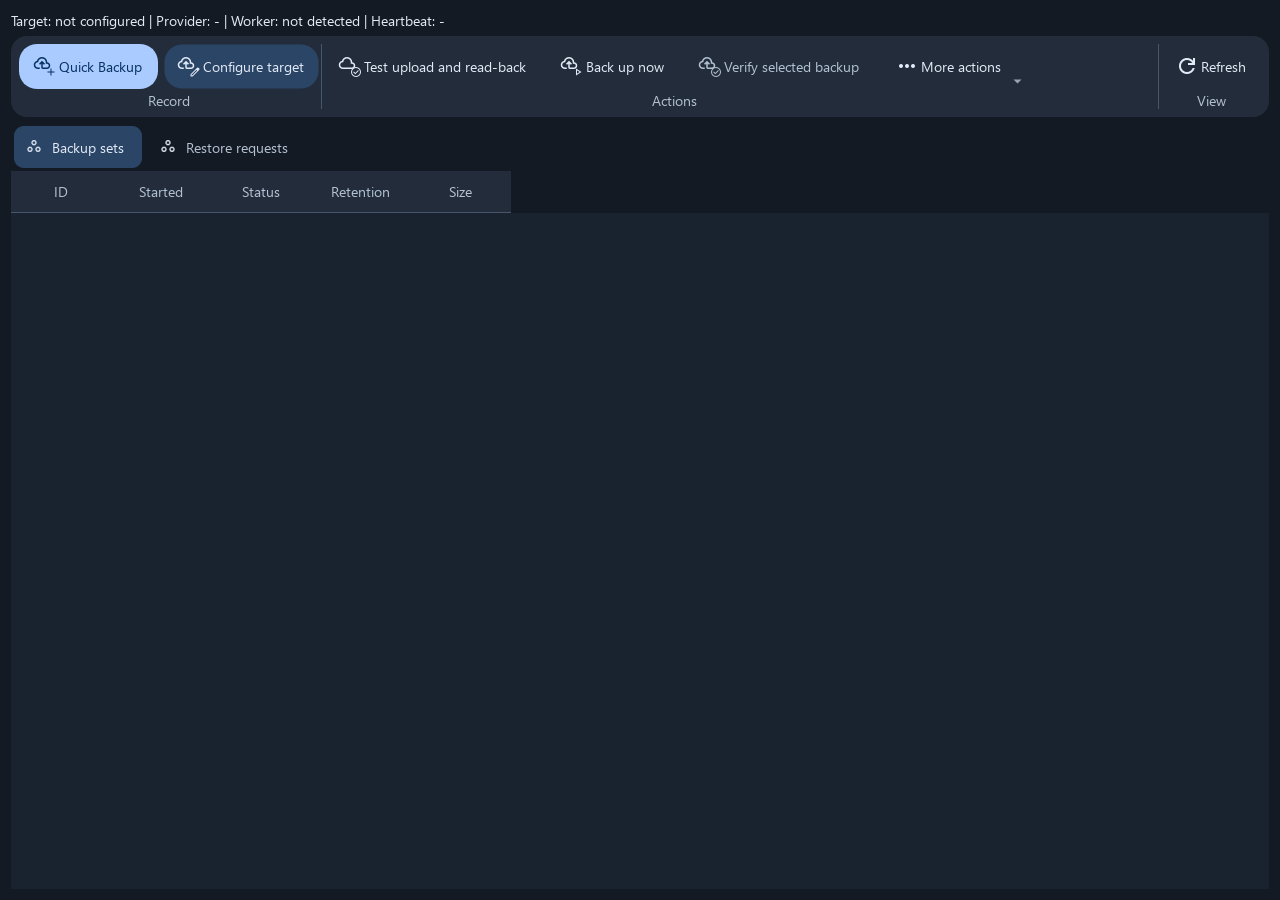
A backup set includes a PostgreSQL custom dump, versioned manifest, commit marker and SHA-256 referenced archives. VERIFIED means complete upload, read-back, decryption and verification. A started job or an existing filename is not a verified backup. Google Drive is one-way backup, not synchronization.
Restore a tenant safely
- Verify target customer and a verified backup. Plan a maintenance window, owner and rollback; separately back up the currently reachable state.
- Enter the required reason and select Prepare restore. The worker checks the dump/files and builds a staging database.
- Schema, tables and archive references are verified.
READY_FOR_APPROVALis not a switch.READY_FOR_APPROVAL_WITH_WARNINGSrequires deliberate review of missing or damaged archive components; a corrupt dump remains a hard failure. - A user with
backup.restoreselects Approve production switch. Archive warnings require additional explicit confirmation and a mandatory reason. - The worker switches under maintenance control. Previous database leases are revoked; the preceding database remains available for rollback. Other tenants must not be rebound to this data.
- Sign in again and verify customer identity, data, documents, a worker job and licensing. Create and verify a new backup.
Archives are verified and replaced atomically below the bound data root. Old absolute file paths from a backup are not trusted restore targets. On failure, inspect rollback and integrity status; do not simply mark the job successful. The preceding database is retained for seven days by default.
Protect the entire platform
Keep administrative backups and separately protected operating records for:
- a consistent control database and versioned tenant, user and membership mappings;
- customer databases and their corresponding verified file archives;
- PostgreSQL roles and required privilege mappings;
- protected worker licensing/backup keys, recovery keys and integration secrets;
- server configuration, trusted provisioning policy, certificates and private TLS keys;
- service identities, local/UNC permissions and required external configuration.
DPAPI-protected files are machine-bound. Copying them to another computer does not replace supported key export/import or secret re-provisioning. A verified database backup does not prove full recovery on another host. PITR/WAL archiving is outside the described beta workflow.
Recovery and regular rehearsal
After server loss, rebuild trusted infrastructure, identities and keys first; then restore the control database and map its matching customer backups consistently. Stop the old worker before replacement-server transfer and explicitly perform license transfer. Do not automatically merge other customers or identically named users.
Rehearse only in an explicitly authorized isolated environment. Verify restored data, archives, memberships, customer isolation and actually executed jobs. Avoid accidental production effects from external integrations. Customer-specific WebDAV/Drive, UNC/gMSA and network failures require operational acceptance.