Deadlines and record documents
Deadlines and documents are maintained directly against a person or vehicle record. Both use stable object IDs, permission checks and record-level audit events, so the complete history remains available from the related record.
Evaluate deadlines
Open Fleet management → Personnel → Deadline evaluation or Fleet → Deadline evaluation. Search and filters cover object, due type, state, basis, trigger, mileage quality, evaluability and date range.
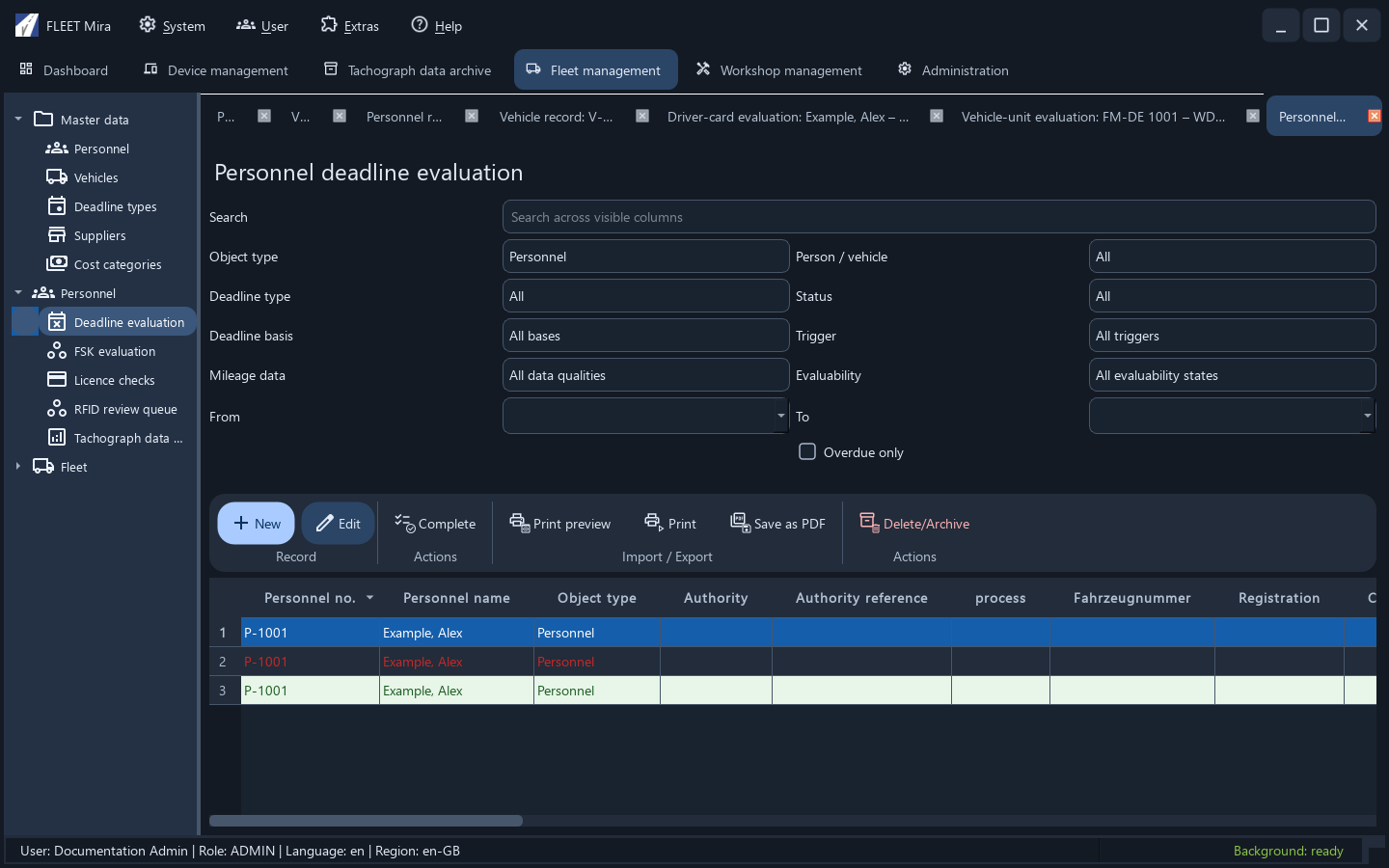 Figure: Filterable personnel deadlines with lead-time and completion states.
Status colours distinguish items outside the lead period, approaching or due today, overdue and completed. Printing, print preview and PDF include only the visible filtered rows and columns.
Time and mileage rules
Personnel deadlines are time-based. Vehicle deadlines may use:
- Time: due date, time lead and optional time recurrence;
- Odometer: target mileage, mileage lead and optional mileage recurrence;
- Earliest of both: the first reached limit determines the state and completion trigger.
The evaluation shows the latest reliable odometer reading, its timestamp and source, target and remaining mileage, trigger and data quality. Without a valid reading, a combined deadline keeps its time evaluation but marks the mileage part as partial. A mileage-only deadline remains not evaluable until a reliable reading exists.
System-managed download and driving-licence deadlines cannot be moved or completed manually. Their source workflow updates them automatically.
Maintain a record document
- Open a person or vehicle record and select Documents.
- Add a file by selection or drag-and-drop.
- Enter title, document date, type and optional notes.
- Review Valid until. A new value is calculated from the document date and the configured record-document retention period.
- Save and verify the preview for PDF or image documents.
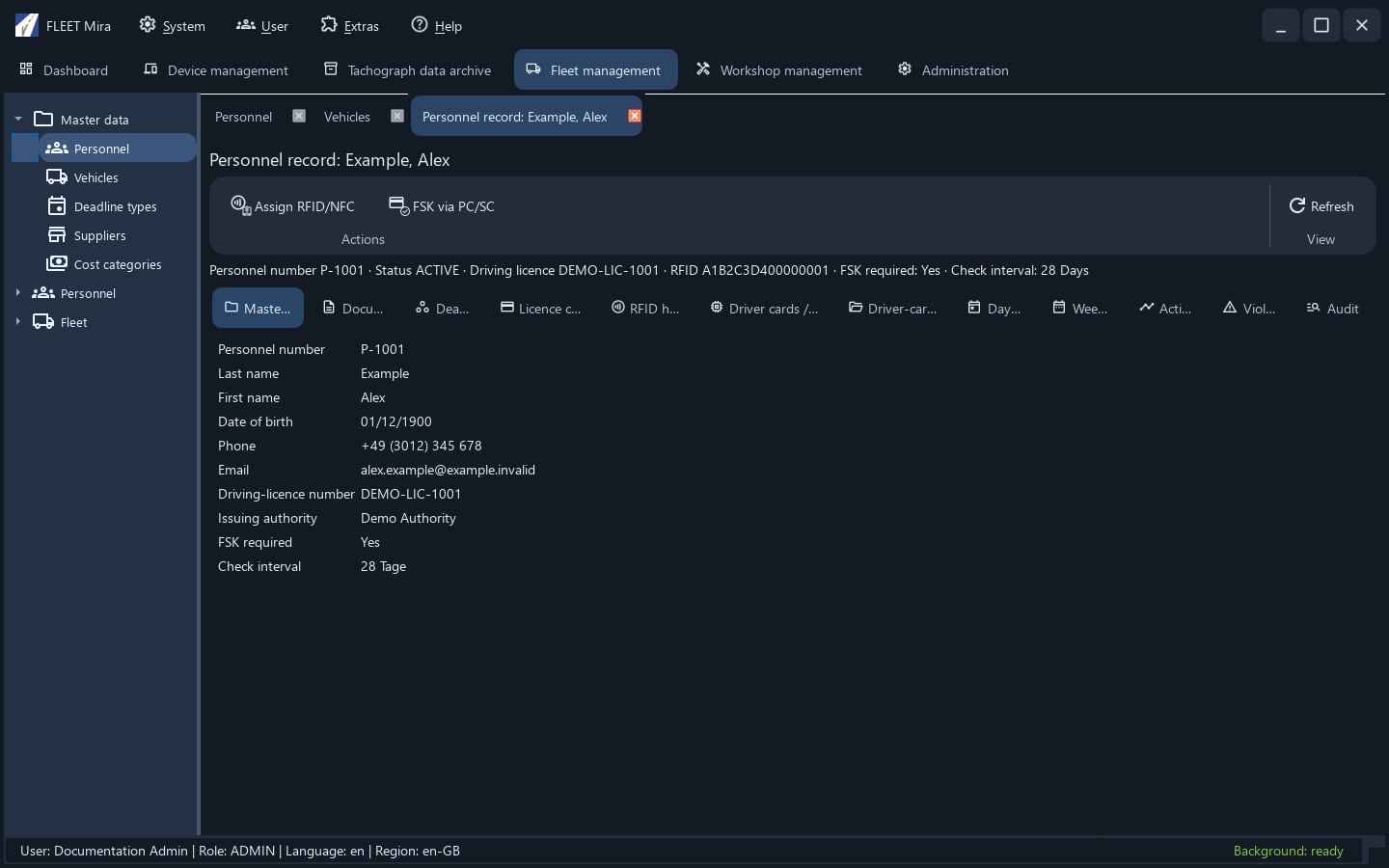 Figure: An anonymised person record containing documents, deadlines, licence checks and audit.
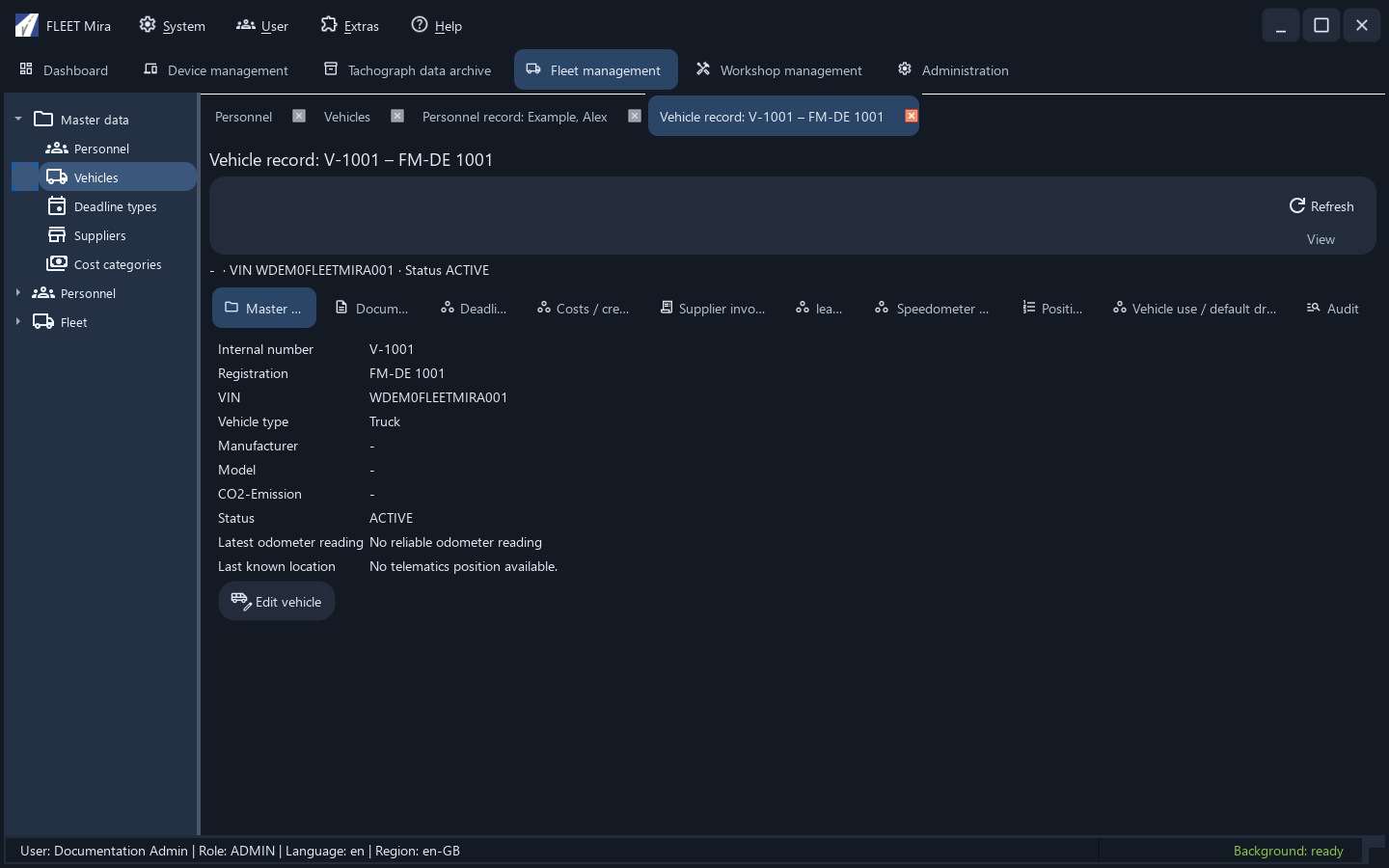 Figure: An anonymised vehicle record containing documents, deadlines, finance and tachodata.
New versions retain the document relationship and history. The byte-identical original is written atomically to the primary document archive. A configured backup job copies and reads it back separately; successful local creation does not claim that an external backup already exists.
Archive, restore and purge
Logical archiving is available from the document context menu and requires the appropriate write permission. Local restore and permanent purge are restricted administrative actions. Permanent purge requires confirmation and a mandatory reason; the evidence record and audit trail remain.
Reports and audit
The report dashboard provides Personnel deadlines and Fleet deadlines. Fleet reports additionally include time/mileage basis, trigger, odometer quality and evaluability. Every create, change, completion, archive, document view, restore and purge operation is represented in global and record-level audit.
Common problems
| State | Action |
|---|---|
| Mileage deadline is not evaluable | Import/link a current M file or add a verified manual odometer reading. |
| Combined deadline shows partial | The time result is valid; investigate the missing or implausible mileage reading. |
| Valid-until date is unexpected | Check document date, region display and the separate record-document retention setting. |
| Document preview is unavailable | Verify the file type and open the byte-identical original with an authorised local application. |
| Backup is still pending | Keep the local original; inspect the backup task and worker status instead of adding the document again. |